
Premium Long-Form Guide
ATS Friendly Resume Templates: Your Key to Getting Past Applicant Tracking Systems
Your resume might be perfect, but if it doesn’t make it past the applicant tracking system, no recruiter will ever see it. Studies show that over 75% of resumes never reach human eyes because they fail ATS screening.
This comprehensive guide reveals everything you need to know about ATS friendly resume templates. You’ll discover what makes a template compatible with applicant tracking software, explore proven designs that work, and learn how to choose the right format for your career.

Why this page matters
This version keeps the article comprehensive for SEO and informational depth while upgrading the presentation with a cleaner premium reading experience.
It is structured to feel like a high-quality editorial page inside StylingCV, with the real long-form content, visuals, tables, examples, and calls to action intact.
ATS Guide
What Are ATS Friendly Resume Templates?
An ATS friendly resume template is specifically designed to be read and parsed correctly by applicant tracking systems. These templates use clean formatting, standard fonts, and simple layouts that software can easily scan.
Applicant tracking systems are software applications that help recruiters and hiring managers organize, filter, and rank job applications. Companies use these systems to manage high volumes of candidates efficiently.
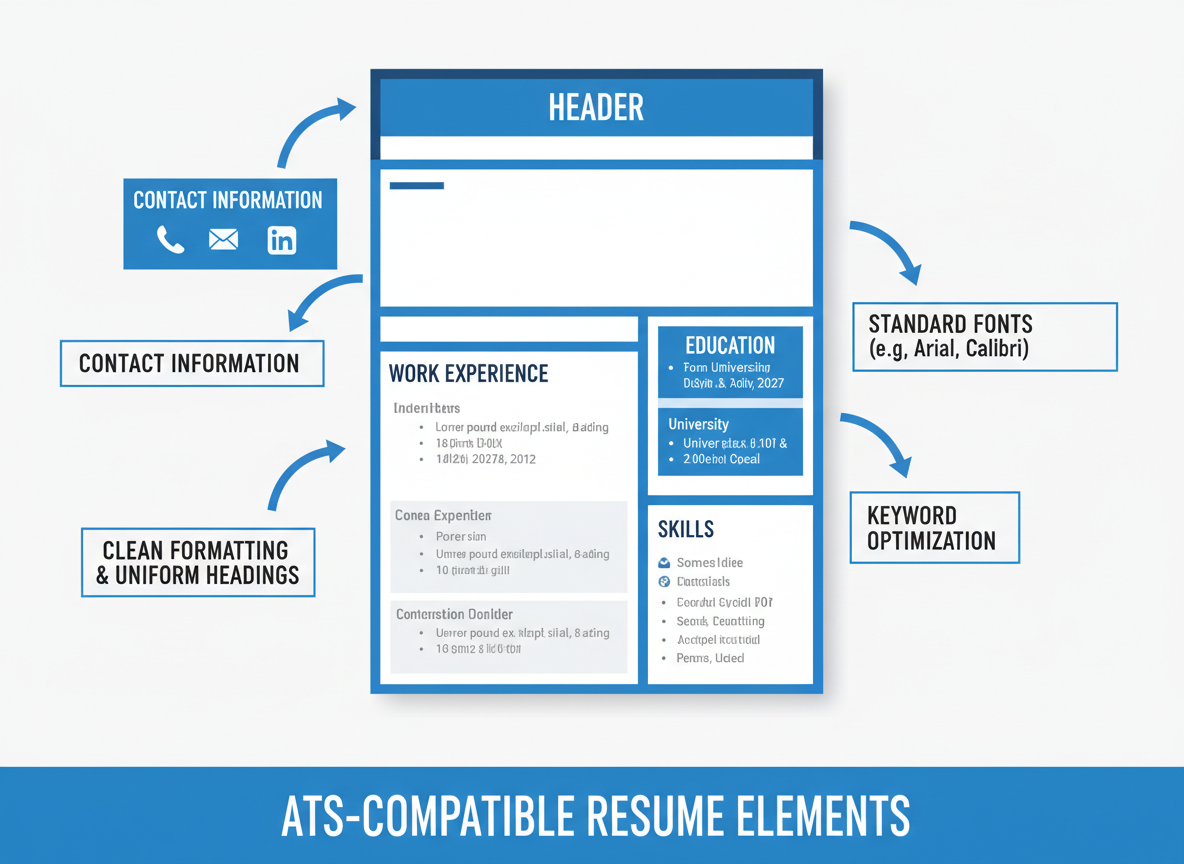
How Applicant Tracking Systems Process Your Resume
When you submit your application, the ATS scans your resume and extracts key data into specific categories. The software looks for keywords, job titles, skills, education details, and work experience information.
Most applicant tracking systems assign scores based on how well your resume matches the job description. Recruiters then review candidates with the highest scores first.
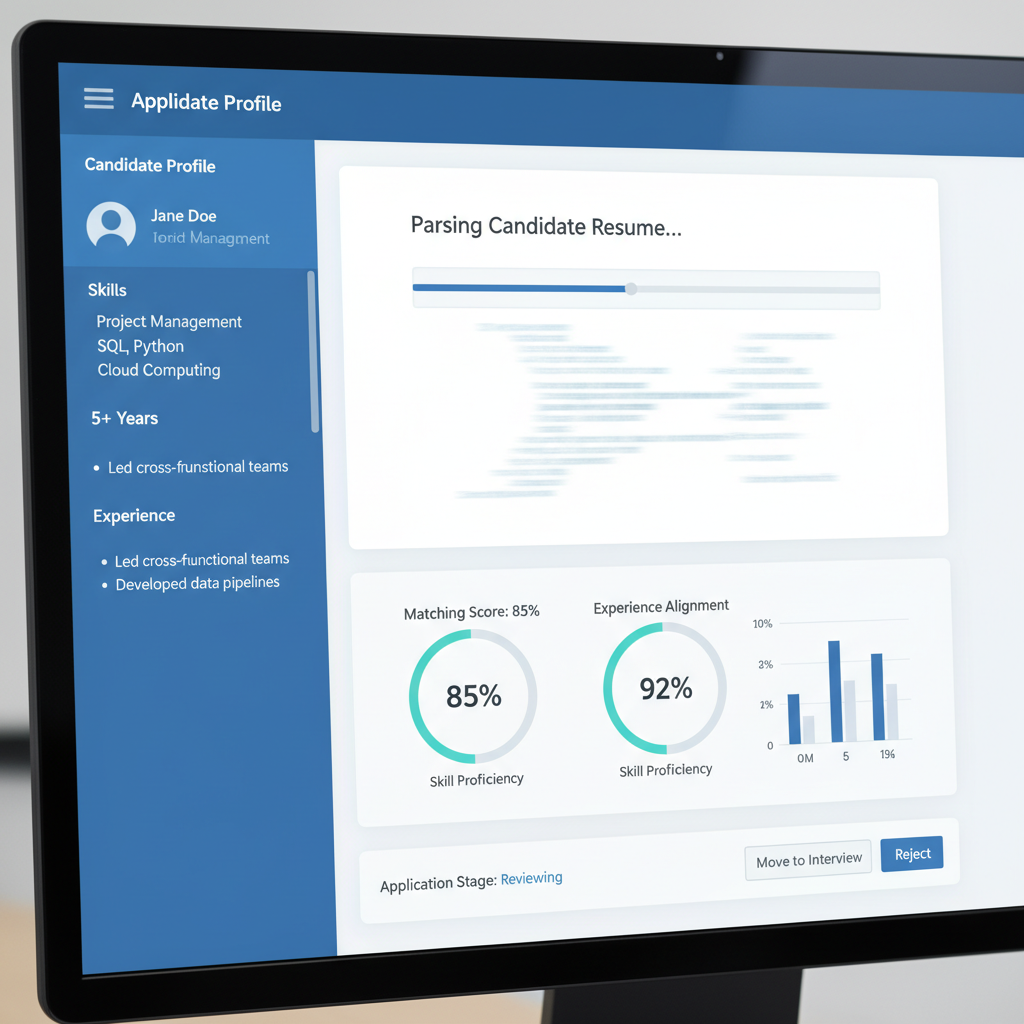
Key Elements ATS Software Scans
- * Contact information including name, phone number, and email address
- * Work experience with job titles, company names, and employment dates
- * Education background including degrees, institutions, and graduation dates
- * Skills section with relevant technical and soft skills
- * Keywords that match the job description and industry standards
- * Professional summary or career objective statements
- * Certifications, licenses, and professional development courses
- * Achievements and measurable results from previous roles
Why Standard Resume Templates Fail ATS Screening
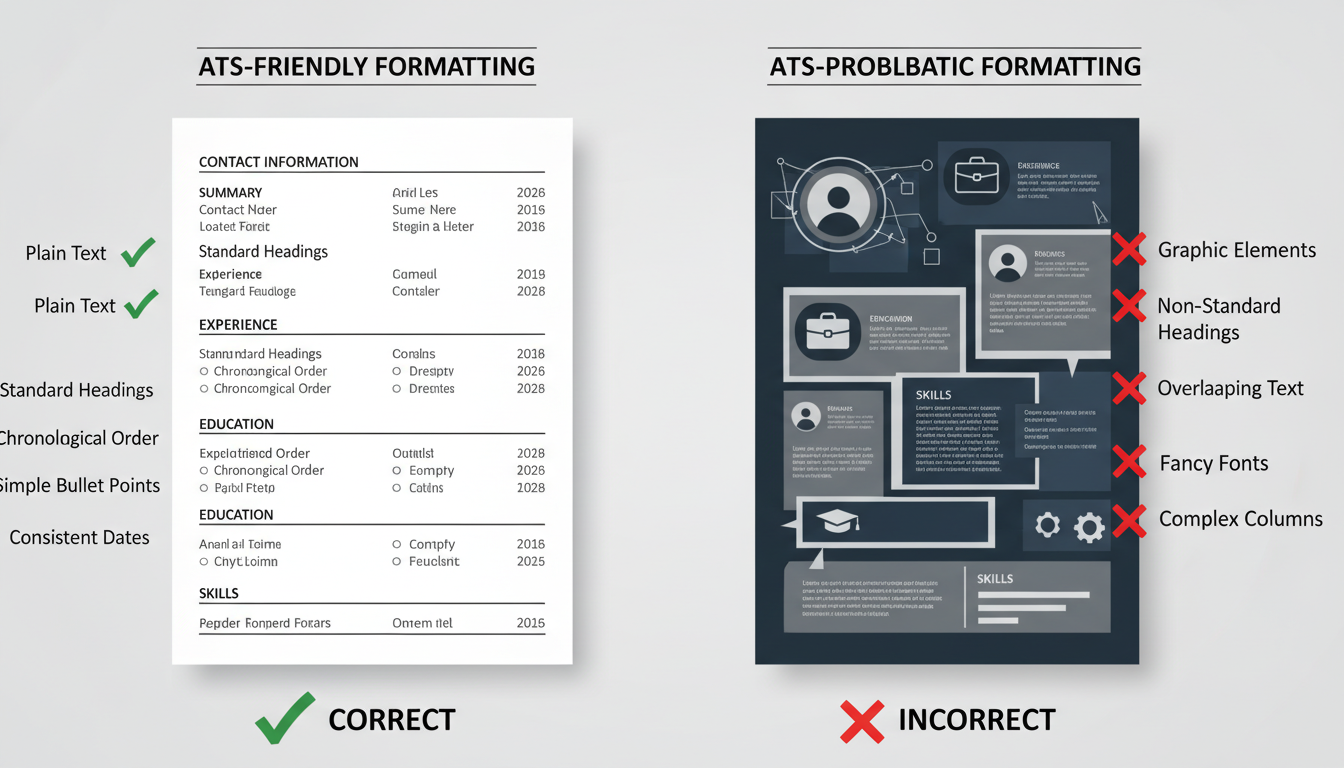
Many creative resume templates use complex formatting that confuses applicant tracking software. Tables, text boxes, headers, footers, and graphics can cause the system to misread or skip important information entirely.
The ATS might fail to recognize your contact information if it’s placed in unusual locations. Your years of experience could be ignored if dates are formatted inconsistently.
ATS-Compatible Template Features
- * Standard fonts like Arial, Calibri, or Times New Roman
- * Simple, clean layout with clear section headings
- * Traditional chronological or hybrid format structure
- * Contact information placed prominently at the top
- * Standard date formatting throughout the document
- * Bullet points instead of complex symbols or graphics
- * Plain text without text boxes or tables
Elements That Break ATS Compatibility
- * Headers and footers containing important information
- * Multi-column layouts that confuse reading order
- * Images, logos, or graphics embedded in the template
- * Unusual fonts or decorative typefaces
- * Tables used to structure content layout
- * Text boxes that separate content from main flow
- * Special characters or custom bullet point symbols
Free Download: Complete ATS Optimization Guide
Get our comprehensive guide with 50+ proven strategies to optimize your resume for applicant tracking systems. Includes keyword research templates, formatting checklists, and industry-specific examples.
Your Name
Email Address
Download Free Guide
We respect your privacy. Unsubscribe at any time.
ATS Guide
Benefits of Using ATS Friendly Resume Templates
Using an ATS resume template dramatically increases your chances of getting your application in front of hiring managers. These templates ensure your qualifications are properly parsed and scored by the tracking system.

Higher Application Success Rate
Candidates using ATS-optimized templates see up to 60% higher callback rates compared to those using standard creative templates. The software correctly identifies your skills and experience, matching you to relevant job openings.
Your resume ranks higher in the system when all information is properly categorized. Recruiters receive a clean, readable version that highlights your qualifications effectively.
4.7
Average Success Rate Improvement
Interview Callback Rate
4.6/5
ATS Parsing Accuracy
4.8/5
Recruiter Readability
4.7/5
Keyword Match Score
4.5/5
Time-Saving Professional Design
ATS resume templates provide professional structure without requiring design expertise. You can focus on crafting compelling content rather than worrying about formatting and layout issues.
These templates include pre-formatted sections for all essential resume components. Simply fill in your information and the template maintains ATS compatibility automatically.

Consistent Formatting Across Applications
Using standardized ATS friendly resume templates ensures consistency when applying to multiple positions. Your contact information, work history, and skills appear in the same format every time.
This consistency helps build your professional brand across different applications. Recruiters who see your resume multiple times will recognize your application immediately.
Template Consistency Benefits
- * Same format across all job applications reduces errors
- * Easy to update information in one master template
- * Professional appearance maintained automatically
- * Version control becomes simpler with single template
- * Less time spent reformatting for each application
Professional Brand Building
- * Consistent visual identity across all applications
- * Recognition from recruiters who see multiple submissions
- * Professional polish that reflects attention to detail
- * Easier to maintain LinkedIn profile alignment
- * Supports personal branding strategy effectively
Ready to Create Your ATS-Friendly Resume?
Start building your professional resume with our proven templates designed to get past applicant tracking systems and impress hiring managers.
ATS Guide
Essential Features of ATS Compatible Templates
Understanding what makes a template ATS compatible helps you choose the right format for your resume. These key features ensure your resume passes through applicant tracking software successfully.
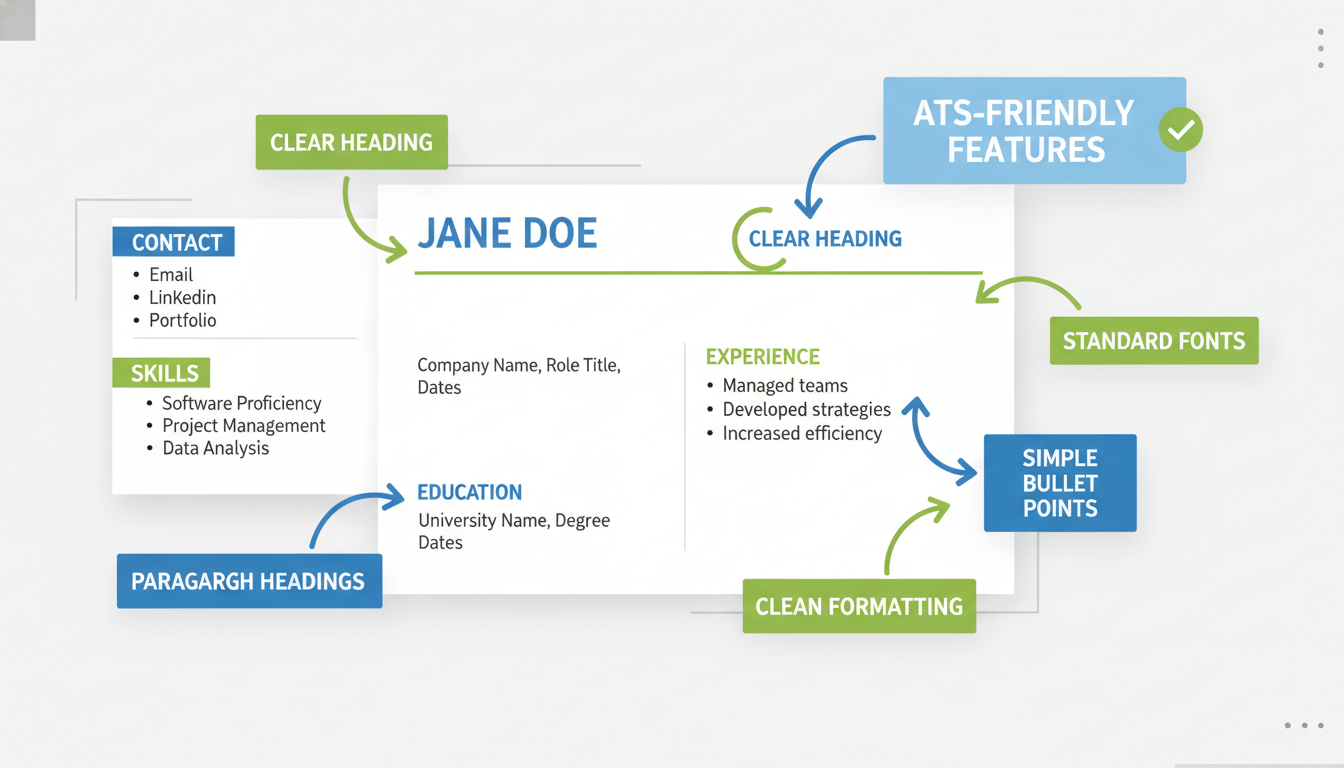
Standard Section Headings
ATS software looks for specific section headings to categorize your information correctly. Using standard headings like Work Experience, Education, and Skills ensures the system recognizes each section.
Avoid creative heading names that might confuse the applicant tracking system. Stick to conventional terminology that matches what the software expects to find.
| Standard ATS Headings | Alternative Acceptable Terms | Headings to Avoid |
|---|---|---|
| Work Experience | Professional Experience, Employment History | My Journey, Career Story, What I’ve Done |
| Education | Academic Background, Educational Qualifications | Where I Learned, My Studies, Academic Journey |
| Skills | Core Competencies, Technical Skills | What I’m Good At, My Toolkit, Abilities |
| Contact Information | Contact Details, Personal Information | Get In Touch, Reach Me, Connect |
| Professional Summary | Summary, Profile, Career Summary | About Me, Who I Am, My Story |
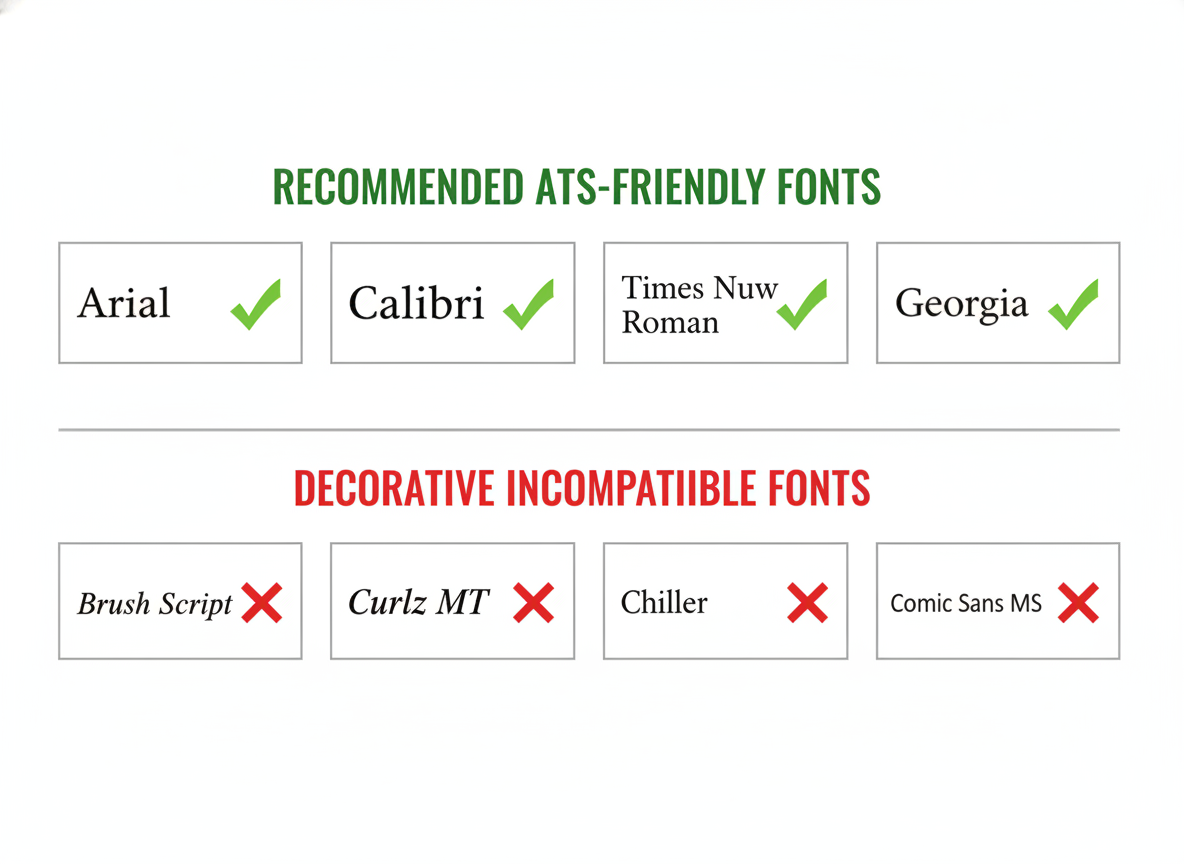
Clean Typography and Font Selection
ATS systems read certain fonts more reliably than others. Standard fonts like Arial, Calibri, Georgia, and Times New Roman ensure maximum compatibility with tracking software.
Font size matters too. Keep your main content between 10 and 12 points, with section headings slightly larger at 14 to 16 points for clear hierarchy.
Simple Bullet Points and Lists
Standard bullet points help applicant tracking systems parse your achievements and responsibilities correctly. Avoid special characters, custom symbols, or decorative bullets.
Each bullet point should start with strong action verbs and include quantifiable achievements when possible. The ATS can better match your experience to job requirements with specific data.
Effective Bullet Point Structure
- * Start with action verbs (managed, developed, increased)
- * Include specific numbers and metrics
- * Keep each point to one or two lines
- * Focus on achievements, not just duties
- * Use consistent tense (past for previous roles)
- * Match keywords from job description
Bullet Point Best Practices
- * Use standard round or square bullets only
- * Maintain consistent spacing between points
- * Limit to 5-7 bullets per position
- * Prioritize most relevant achievements first
- * Avoid paragraphs in place of bullets
- * Check that bullets align properly
Proper Date Formatting
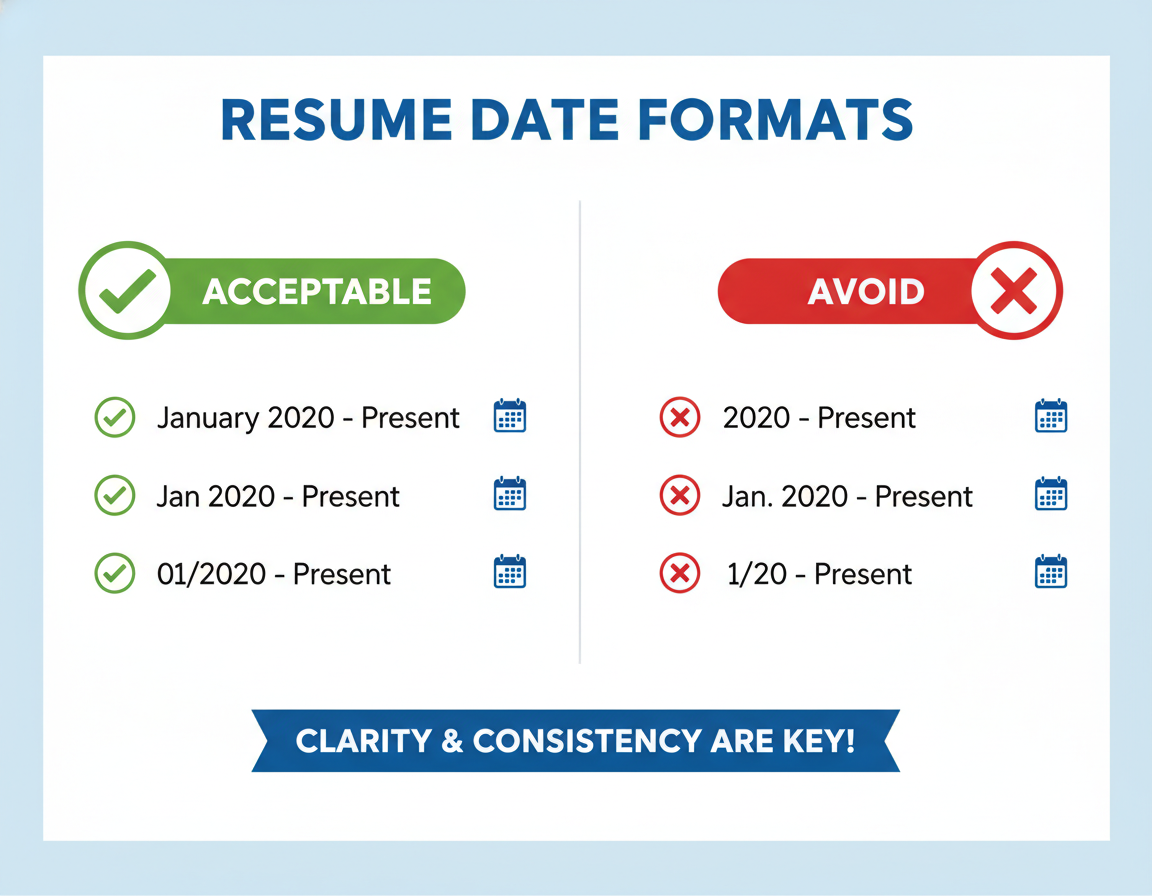
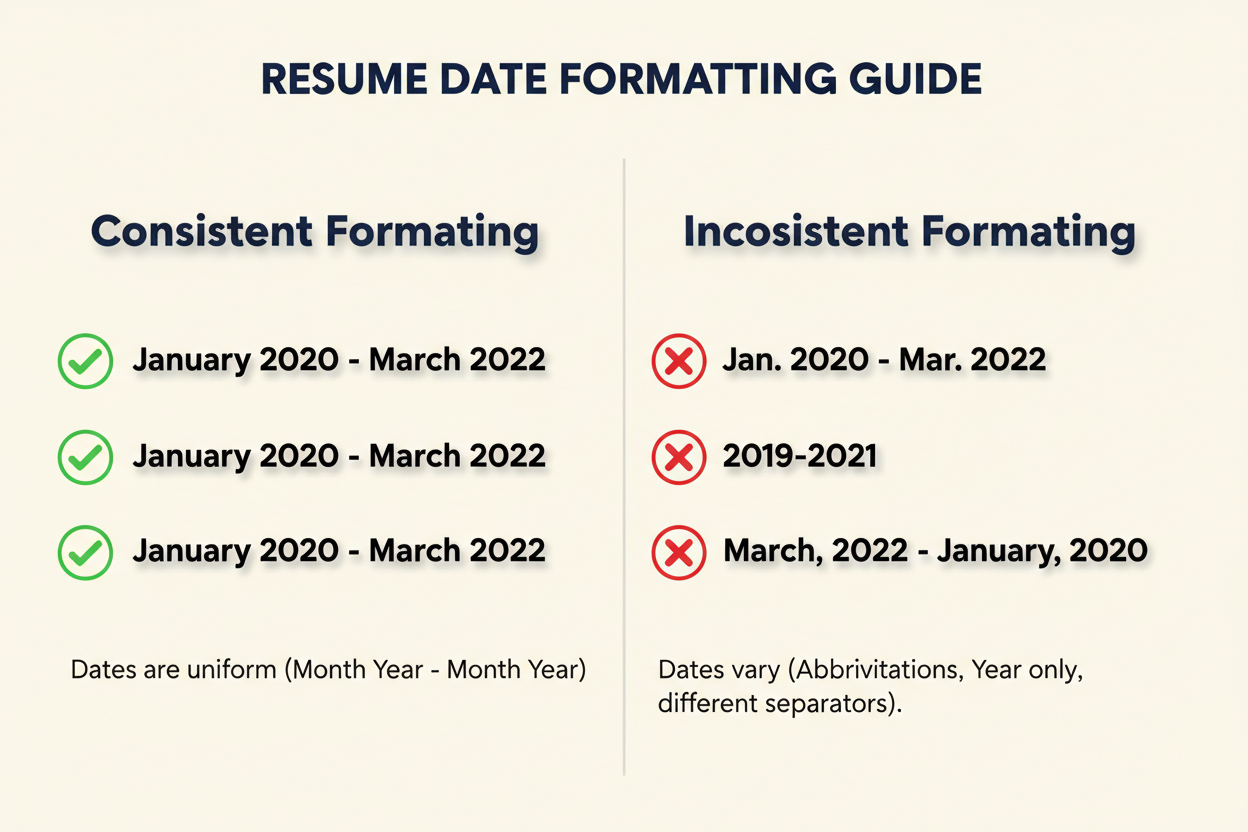
Consistent date formatting helps ATS software calculate your years of experience accurately. Use standard formats like “January 2020 – Present” or “01/2020 – Present” throughout your resume.
Inconsistent date formatting confuses applicant tracking systems and may result in your experience being miscalculated. Choose one format and apply it to all dates in your resume template.
Keyword Optimization Structure
ATS resume templates should provide dedicated sections for keywords that match job descriptions. A well-structured skills section allows you to include both hard and soft skills relevant to your target position.
The template structure should encourage you to mirror language from the job posting naturally throughout your work experience and summary sections. This increases your match score in the applicant tracking system.
Pro Tip: Strategic Keyword Placement
Place your most important keywords in multiple sections of your resume. Include them in your professional summary, skills section, and within your work experience descriptions. This redundancy increases the likelihood that the ATS will recognize and score these keywords correctly, improving your overall match rate.
ATS Guide
Professional Sales Resume Templates
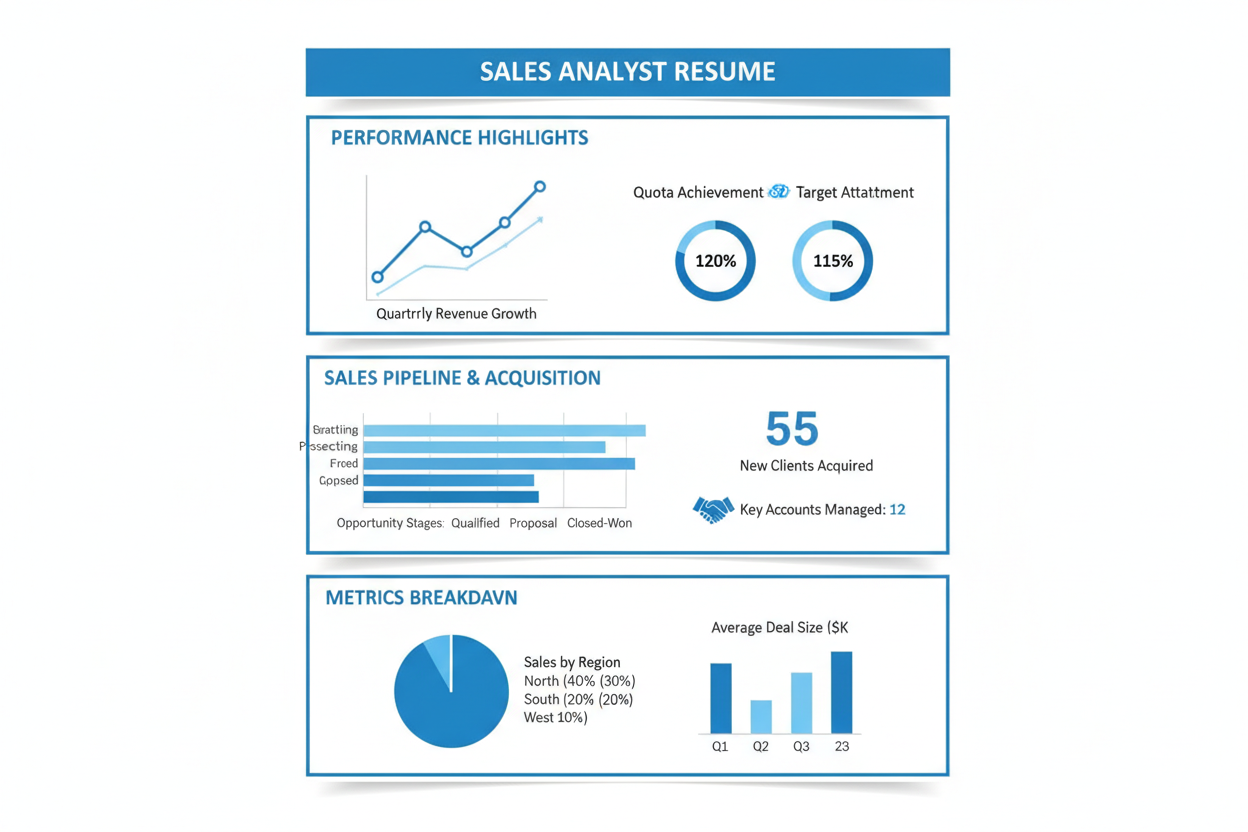
Sales professionals need resume templates that highlight achievements, quotas, and revenue generation. These ATS friendly templates emphasize metrics that matter to hiring managers in sales roles.

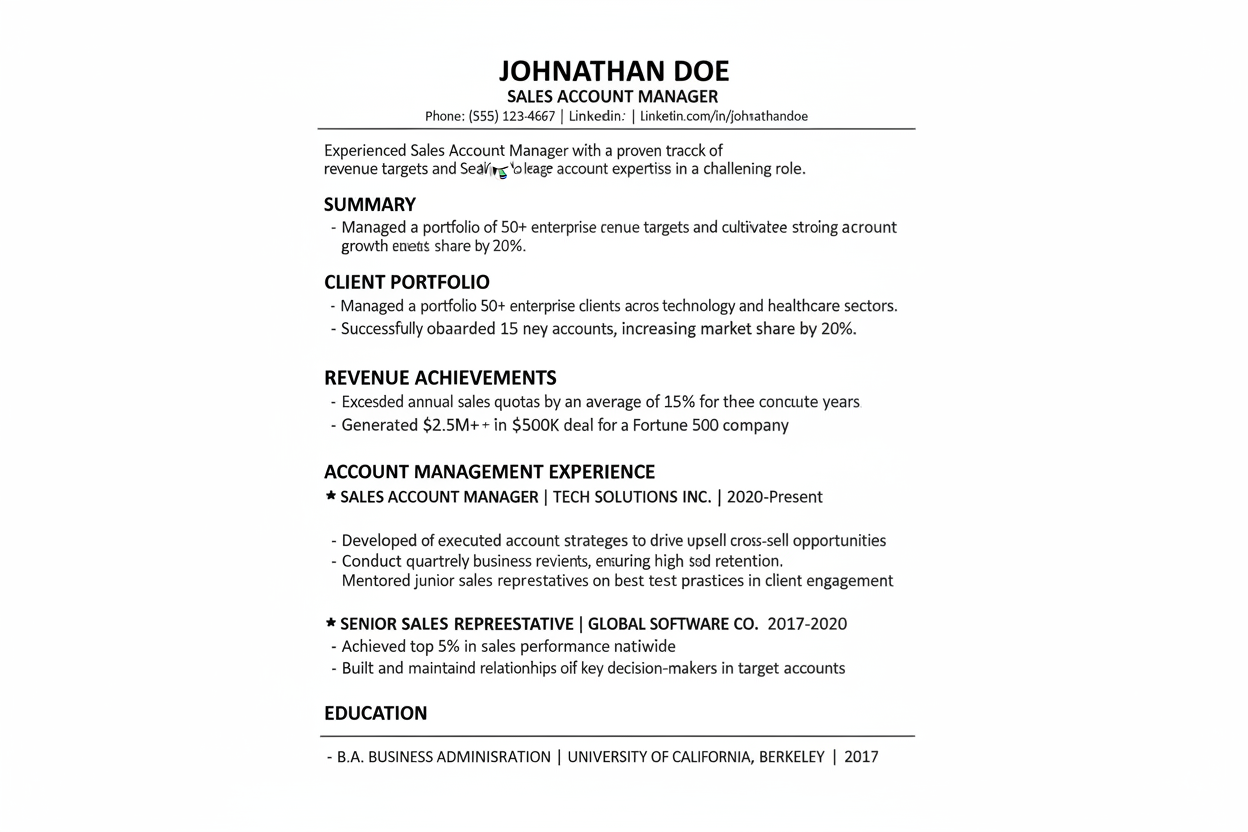
Account Manager Template
Designed for account management professionals who need to showcase client relationships and retention rates. This template includes dedicated sections for portfolio size, contract values, and relationship management achievements.
- * Client portfolio metrics section
- * Retention rate achievements
- * Contract value highlights
- * Relationship management skills
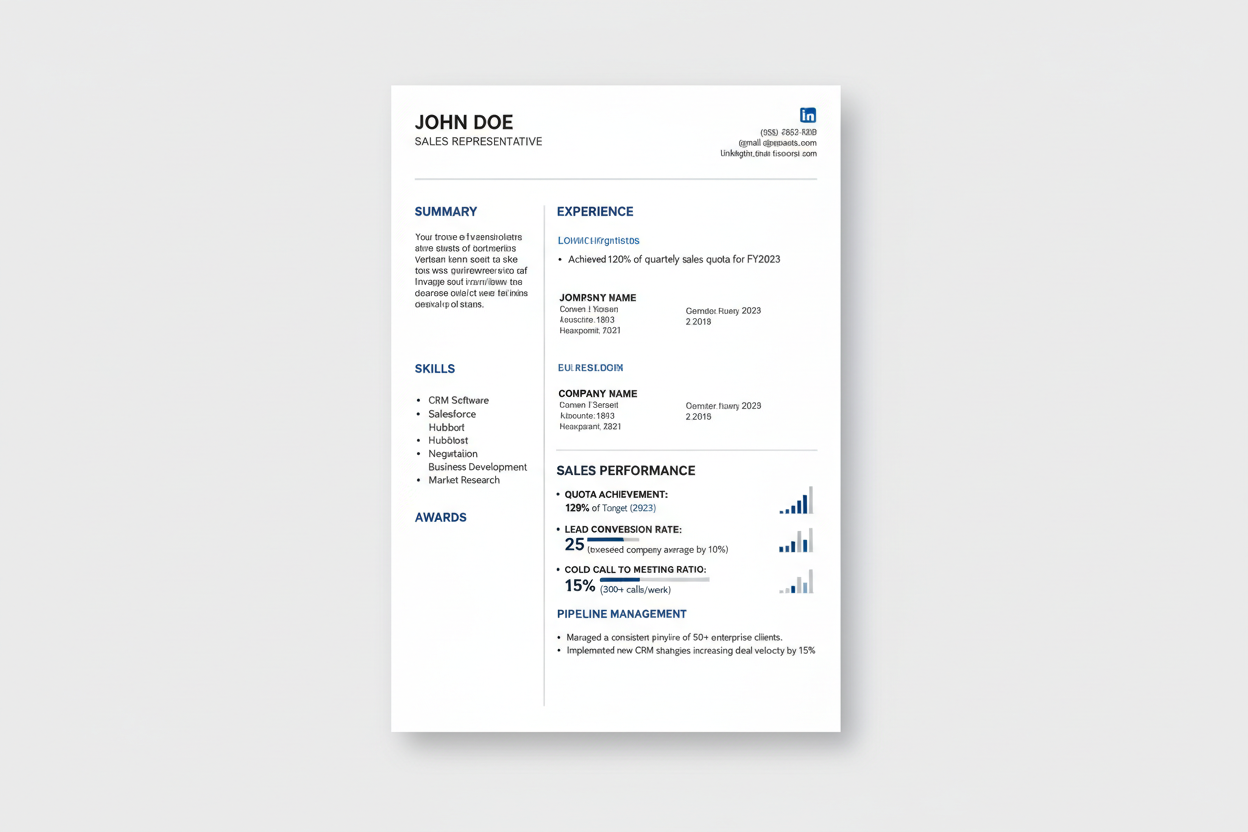
Sales Representative Template
Perfect for individual contributors who exceed quotas and drive revenue. Features sections for sales metrics, prospecting activities, and conversion rates that applicant tracking systems easily parse.
- * Quota achievement tracking
- * Pipeline management metrics
- * Lead conversion statistics
- * Cold calling performance data
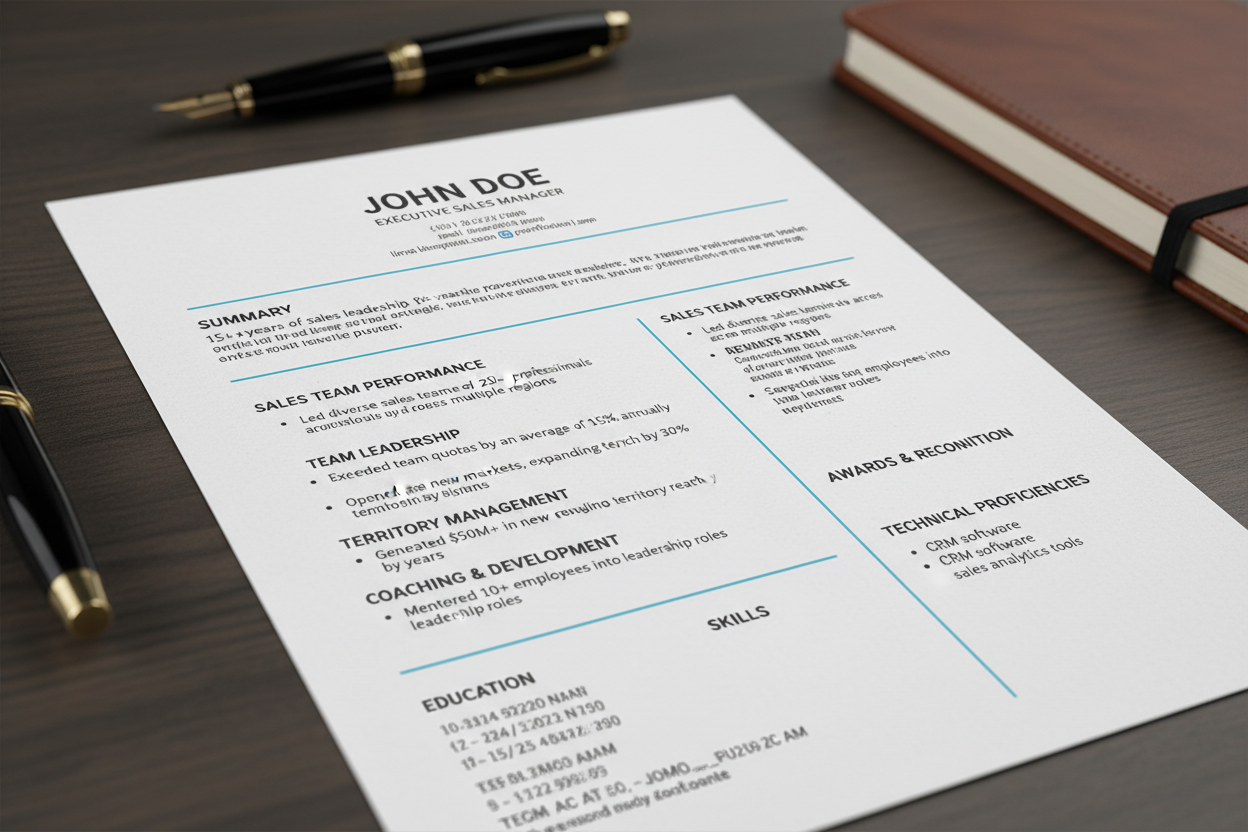
Sales Manager Template
Built for sales leaders managing teams and territories. Emphasizes leadership accomplishments, team performance, and strategic initiatives alongside personal sales achievements.
- * Team performance metrics
- * Territory growth achievements
- * Coaching and development results
- * Strategic initiative outcomes
Sales Template Features
All sales resume templates include sections specifically designed to showcase the metrics that matter most in sales roles. These templates help applicant tracking systems identify your revenue impact and quota achievements.
Sales Resume Success Formula
The most successful sales resumes quantify everything. Include percentage of quota achieved, revenue generated, new accounts acquired, and average deal size. ATS systems score these quantifiable achievements highly, and hiring managers in sales specifically look for this data when reviewing candidates.
ATS Guide
Project Management Resume Templates
ATS friendly resume templates
Project managers require templates that demonstrate their ability to deliver results on time and within budget. use resume that ATS resume templates organize project achievements, methodologies, and leadership experience effectively.
IT Project Manager Template
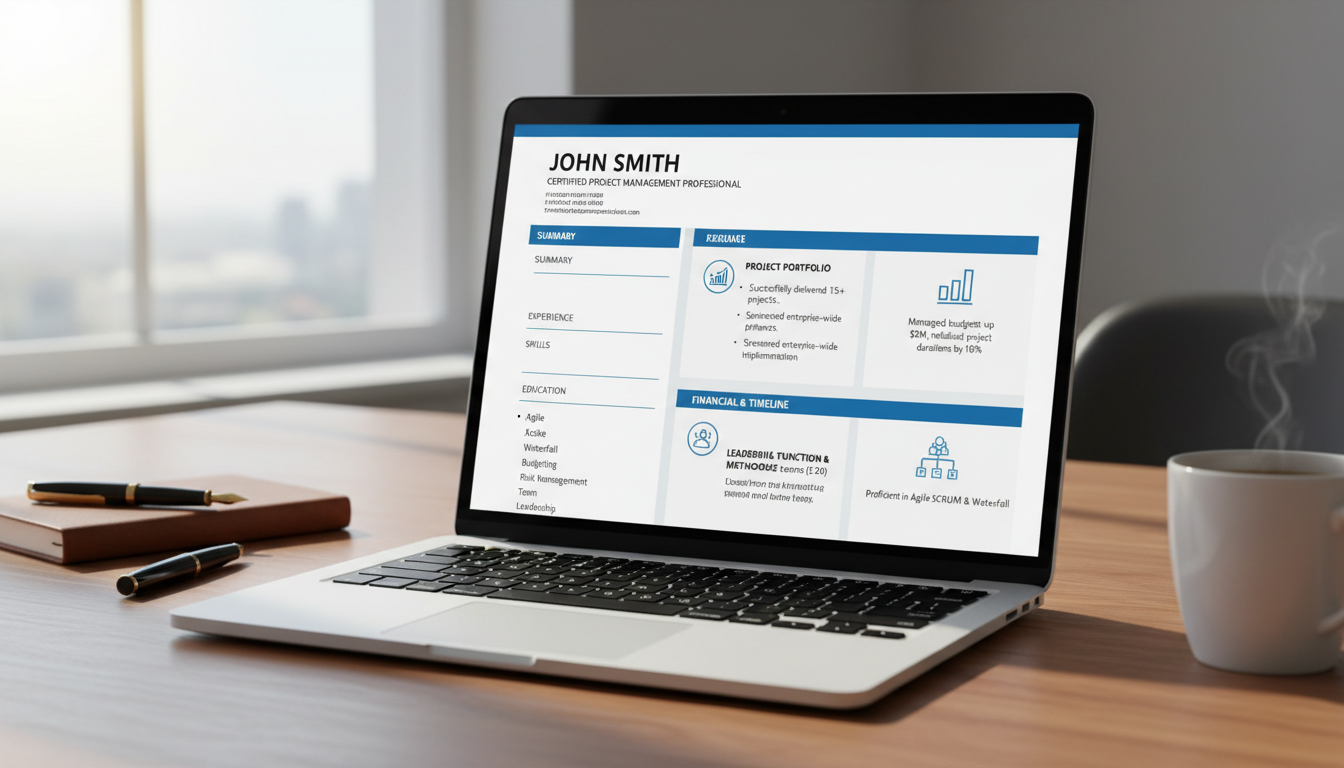
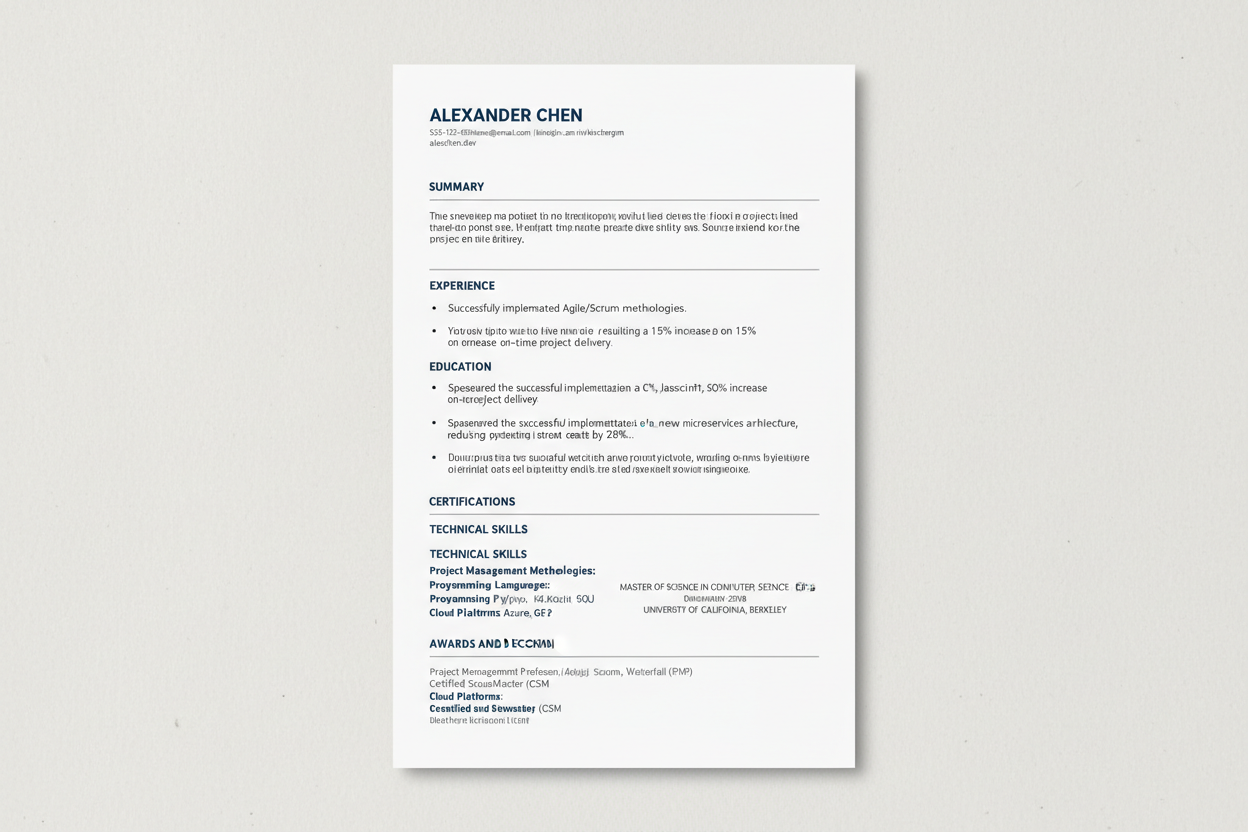
Tailored for technology project managers overseeing software development and system implementations. Highlights technical expertise alongside project management credentials and Agile experience.
- * Technical project portfolio
- * Agile/Scrum certifications
- * System implementation timeline
- * Development team leadership
Construction PM Template
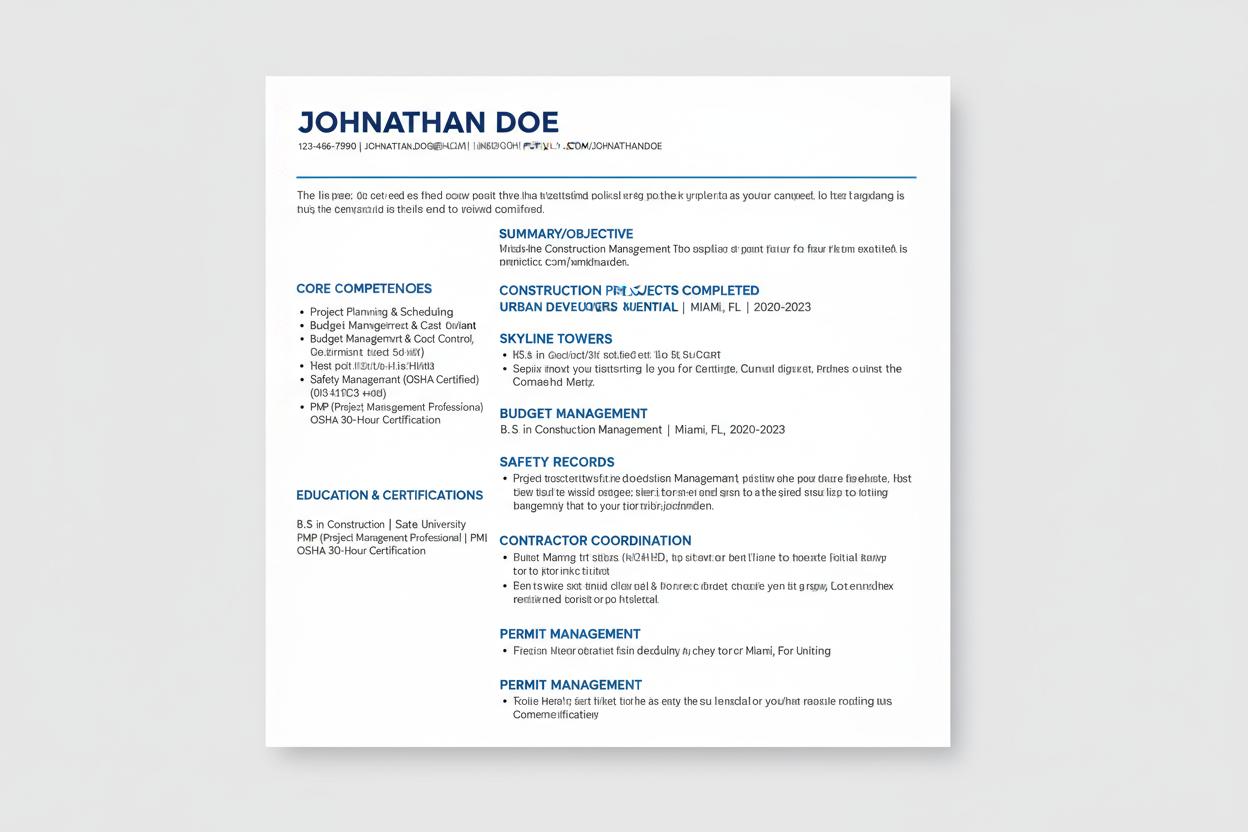
Designed for construction project managers who coordinate contractors, manage budgets, and ensure safety compliance. Features sections for project timelines, budget variances, and safety records.
- * Project completion timelines
- * Budget variance tracking
- * Safety compliance records
- * Contractor management experience
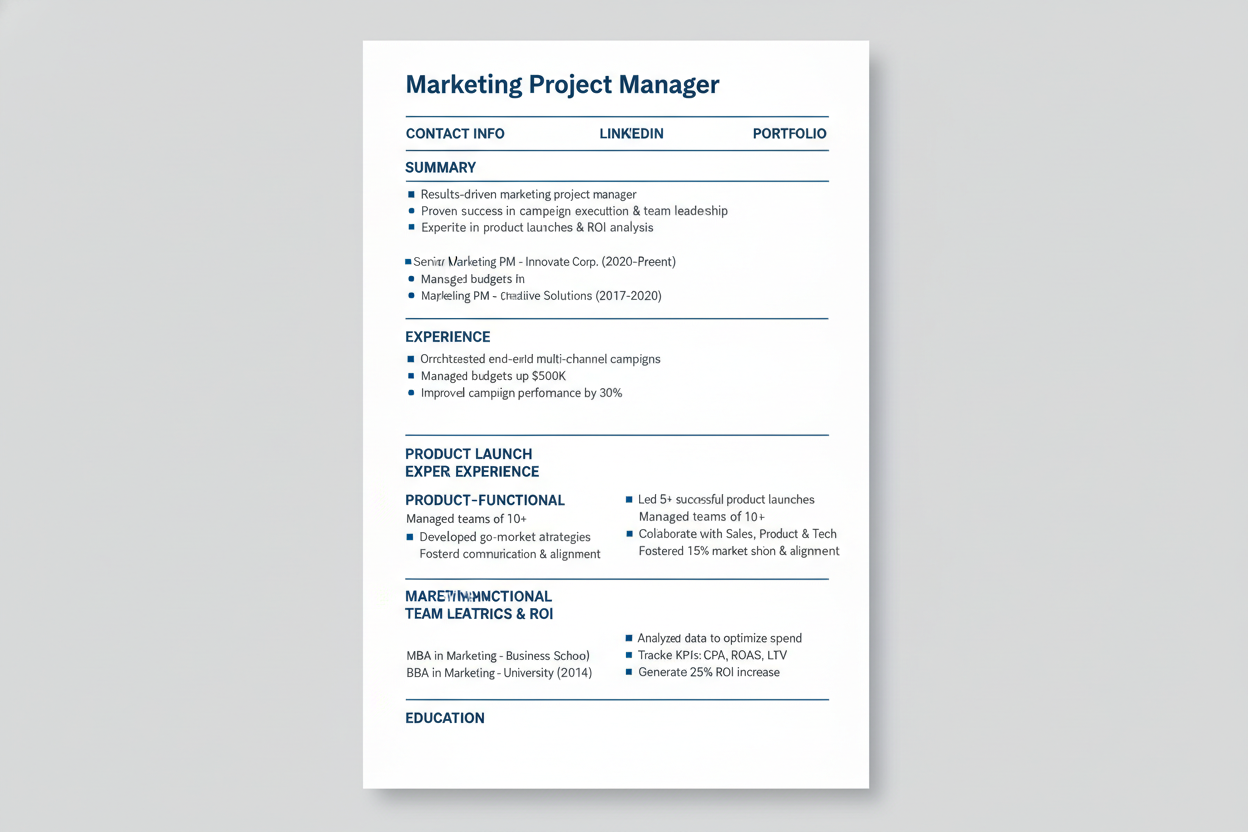
Marketing PM Template
Perfect for project managers in marketing and advertising who launch campaigns and coordinate creative teams. Emphasizes campaign results, stakeholder management, and cross-functional leadership.
- * Campaign launch achievements
- * Marketing ROI metrics
- * Cross-functional coordination
- * Creative team management
Project Management Certification Sections
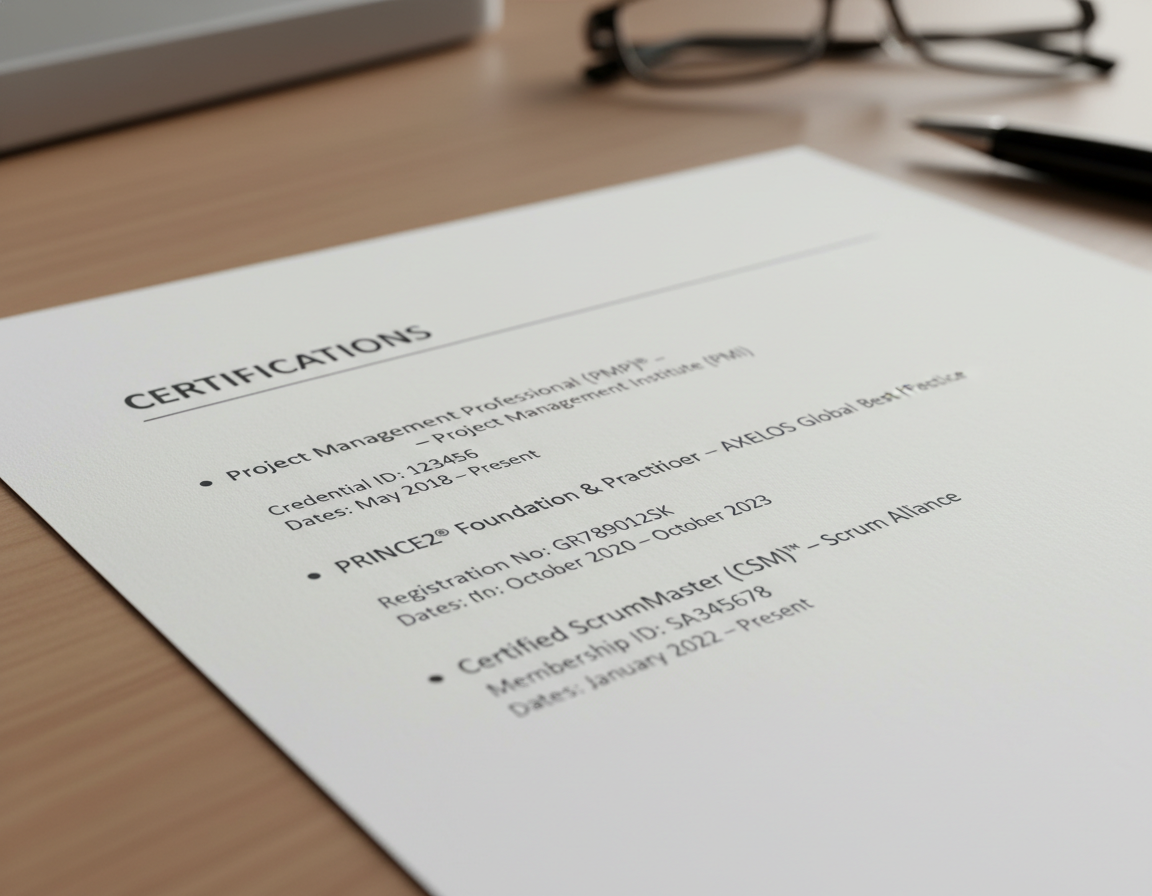
Project management templates include dedicated sections for certifications like PMP, PRINCE2, and Agile credentials. Applicant tracking systems specifically scan for these certifications when matching candidates to project management roles.
The certification section should include the credential name, issuing organization, certification number, and expiration date. This complete information helps ATS software verify your qualifications accurately.
ATS Guide
Customer Service Resume Templates
Customer service professionals need templates that showcase their communication skills and problem-solving abilities. These ATS friendly templates highlight customer satisfaction metrics and service excellence.
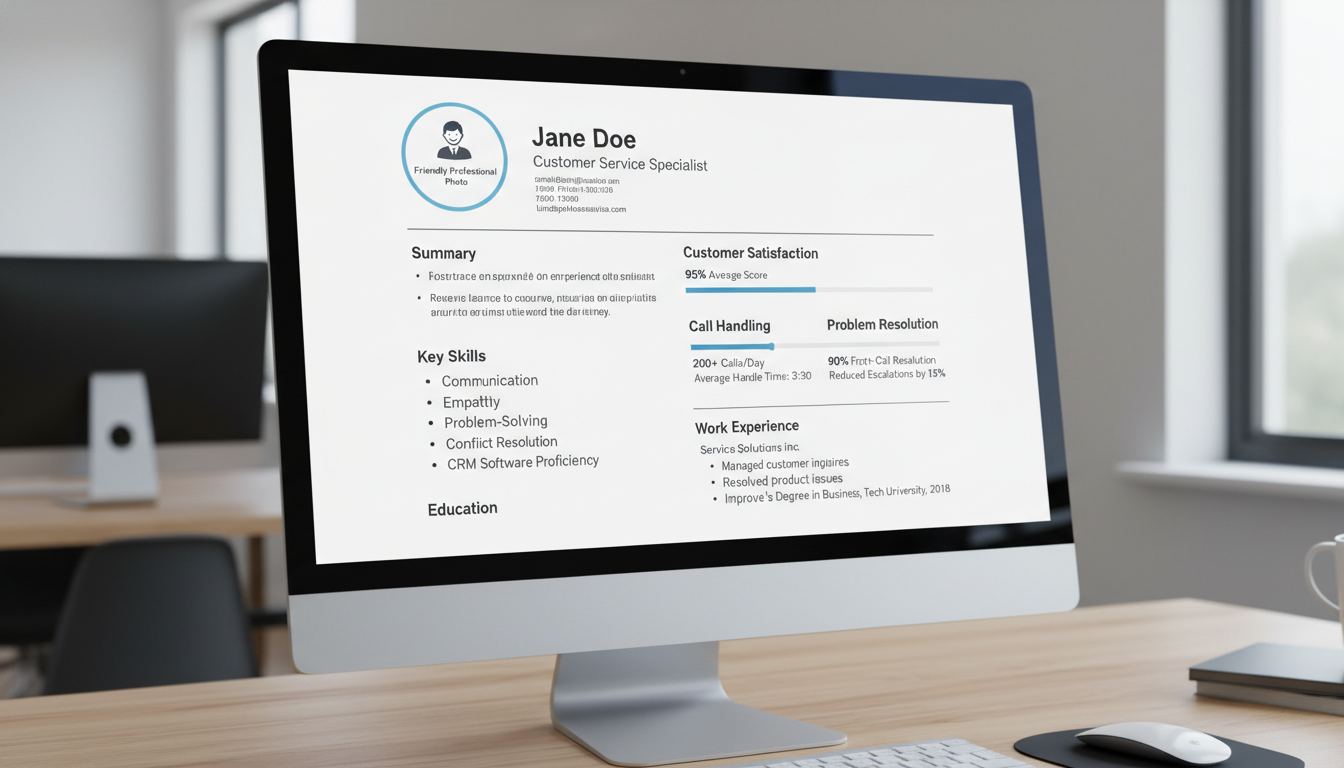
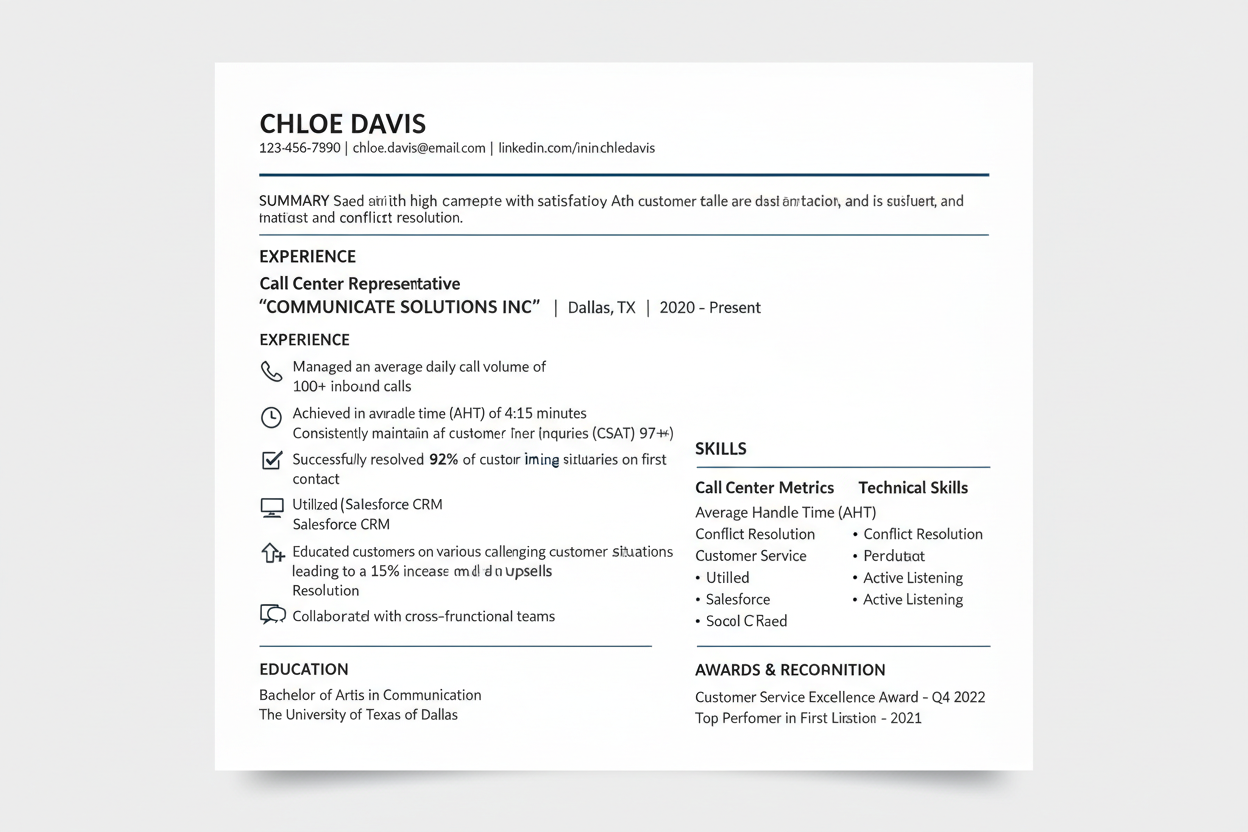
Call Center Rep Template
Optimized for call center representatives handling high call volumes. Features sections for call metrics, customer satisfaction scores, and efficiency achievements that ATS systems recognize.
- * Call volume statistics
- * Customer satisfaction ratings
- * Average handle time metrics
- * First call resolution rates
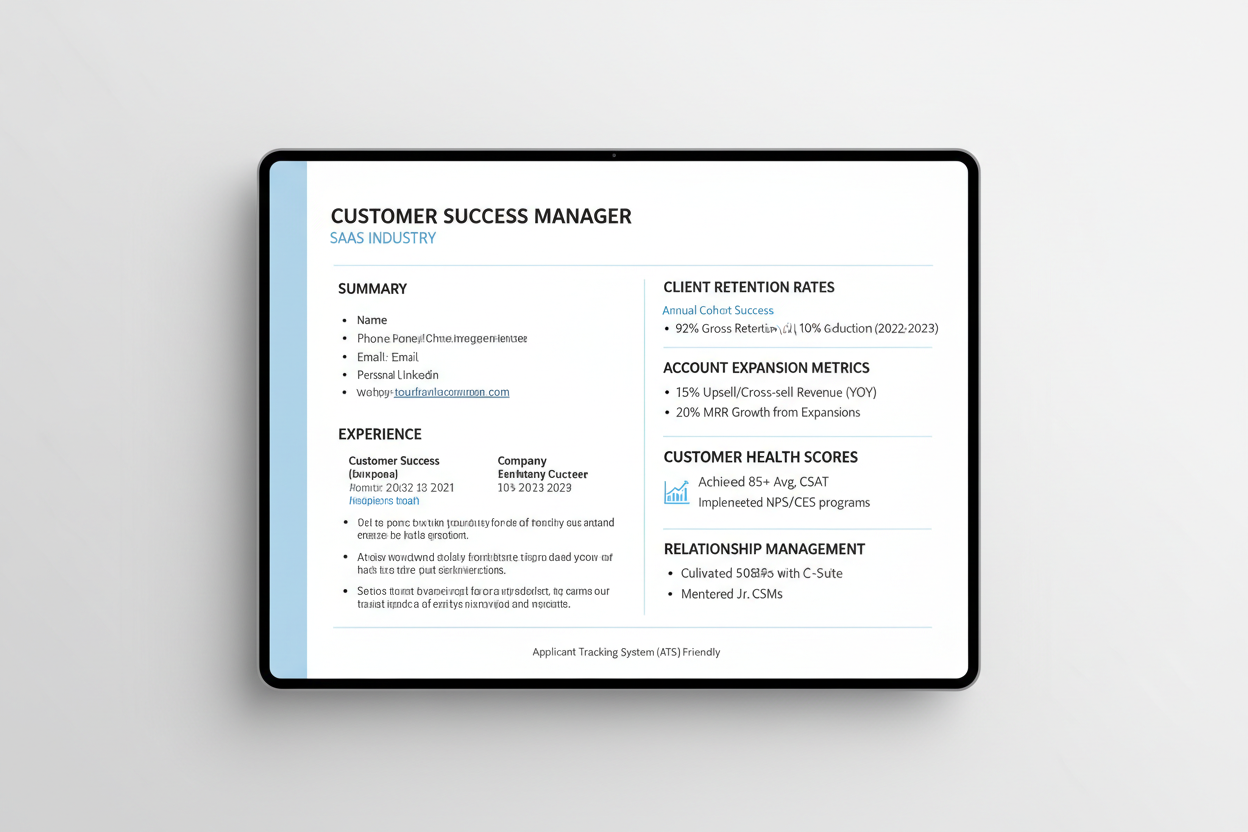
Customer Success Manager
Designed for customer success professionals managing client relationships and driving retention. Highlights account health metrics, expansion revenue, and proactive customer engagement.
- * Client retention statistics
- * Account expansion revenue
- * Customer health scoring
- * Upsell and cross-sell results
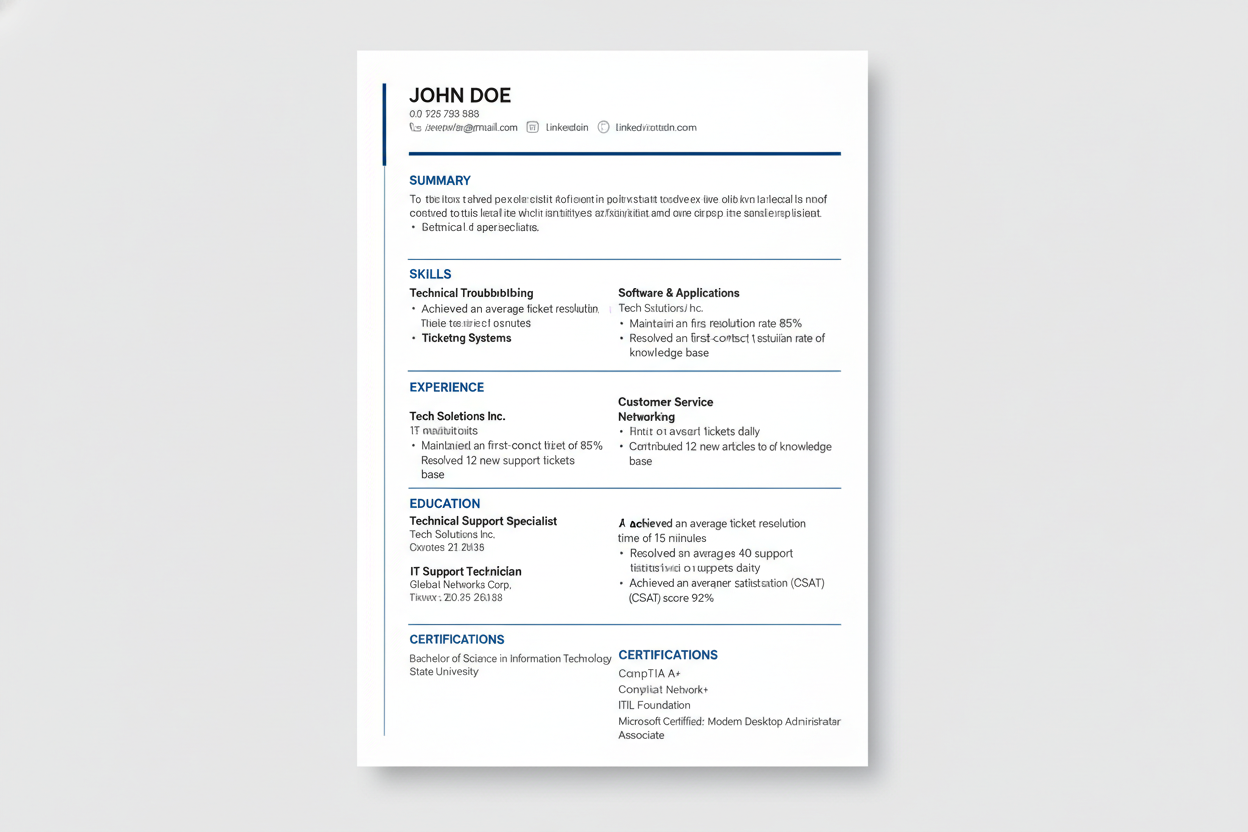
Technical Support Specialist
Built for technical support professionals troubleshooting complex issues. Combines technical skills with customer service metrics in an ATS-compatible format.
- * Ticket resolution statistics
- * Technical troubleshooting skills
- * Knowledge base contributions
- * Escalation management metrics
Customer Service Metrics That Matter
Customer service resumes should quantify your impact on customer satisfaction and operational efficiency. Include specific metrics like CSAT scores, Net Promoter Scores, and resolution times.
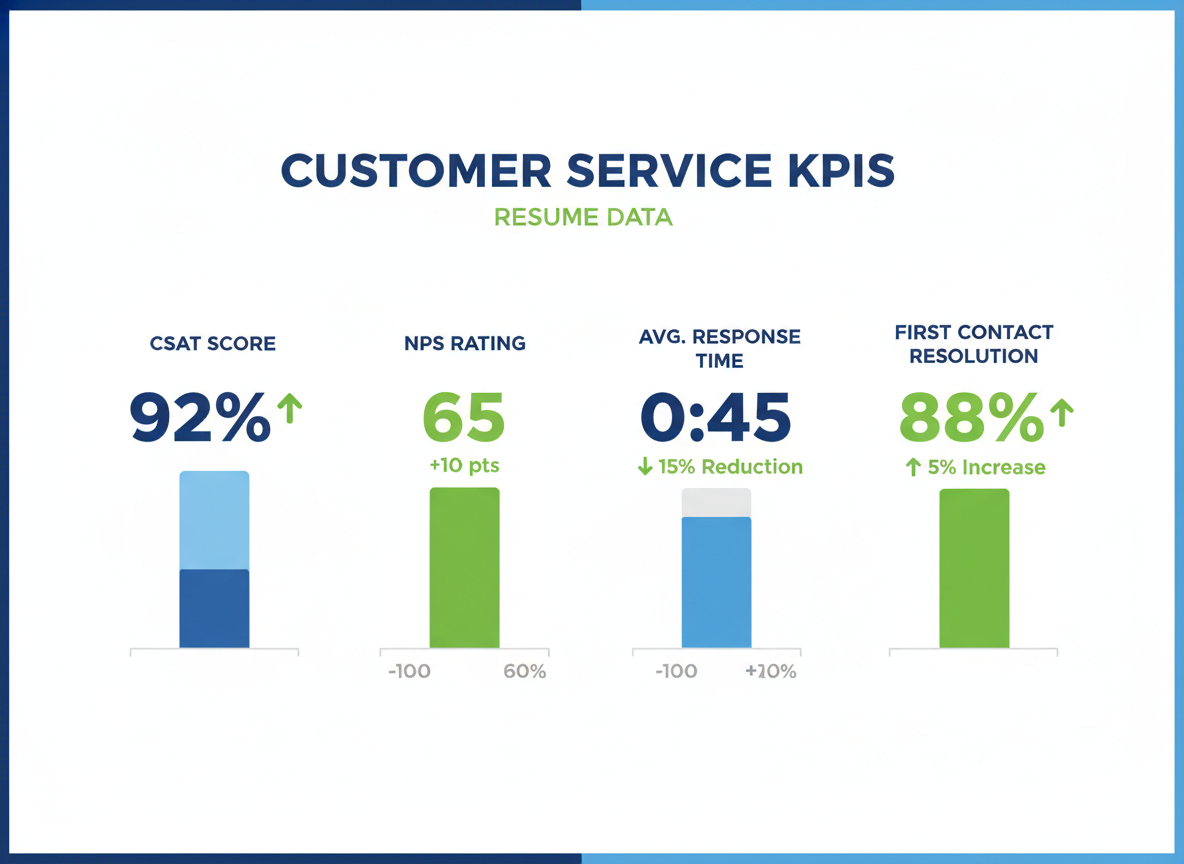
“Customer service resumes with quantified achievements receive 45% more interview requests than those with only duty descriptions. Numbers tell your story more effectively than adjectives.”
— Career Services Research, 2024
ATS Guide
Data Analyst Resume Templates
Data analysts need resume templates that demonstrate technical proficiency and analytical capabilities. These ATS resume templates showcase your ability to work with data, software tools, and business intelligence platforms.

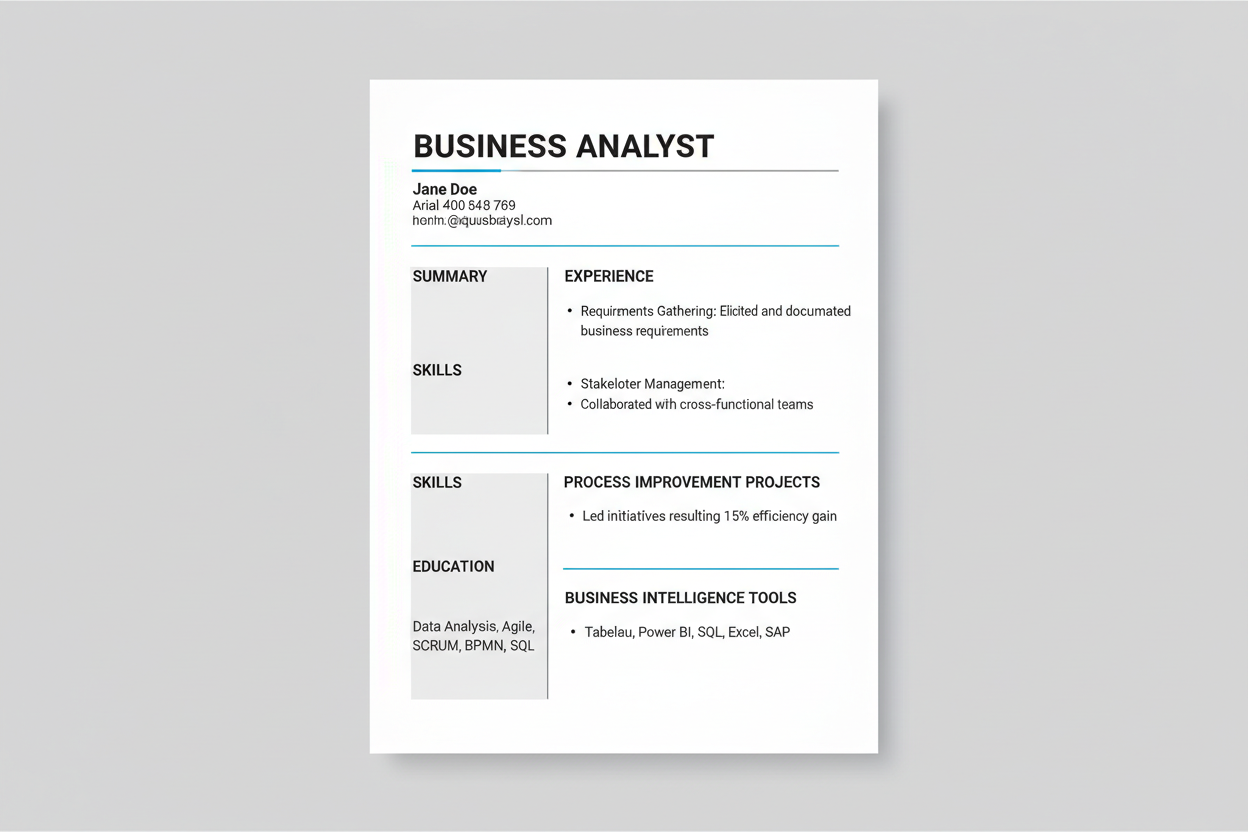
Business Analyst Template
Tailored for business analysts who bridge technology and business needs. Emphasizes requirements gathering, stakeholder management, and process improvement initiatives.
- * Requirements documentation
- * Stakeholder engagement results
- * Process improvement metrics
- * Business intelligence tools
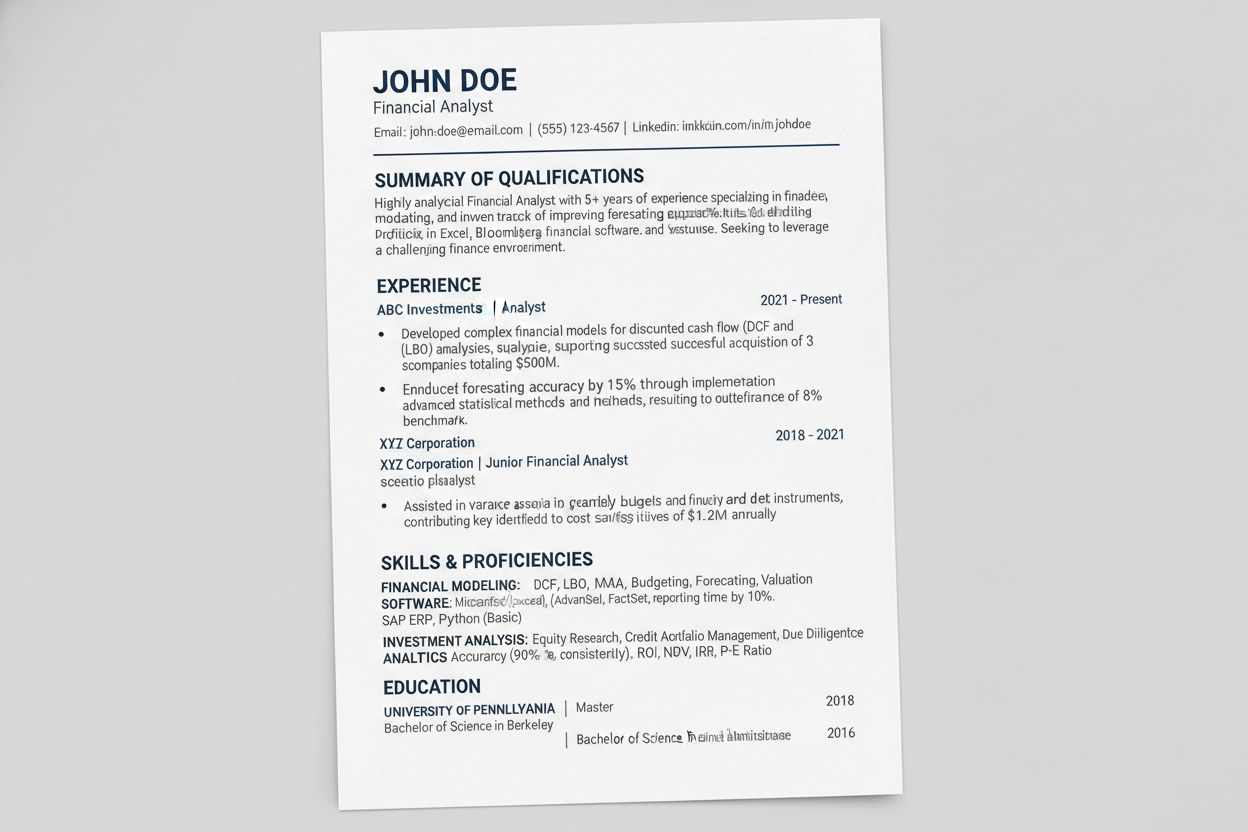
Financial Analyst Template
Designed for financial analysts performing modeling, forecasting, and investment analysis. Features sections for financial achievements, modeling expertise, and analytical tools.
- * Financial modeling projects
- * Forecast accuracy statistics
- * Investment analysis results
- * Financial software proficiency
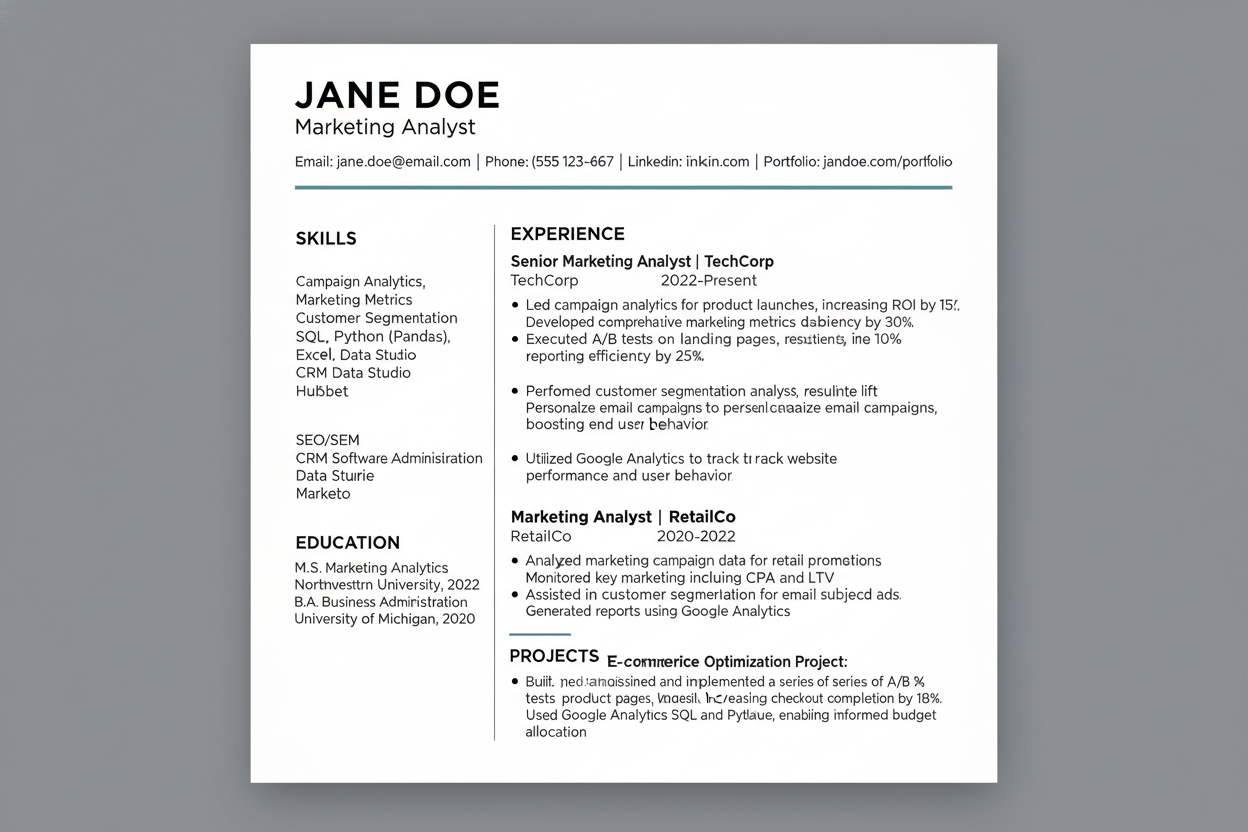
Marketing Analyst Template
Perfect for marketing analysts tracking campaign performance and customer behavior. Highlights analytics platforms, campaign metrics, and data-driven marketing insights.
- * Campaign performance analysis
- * Customer segmentation projects
- * Marketing attribution modeling
- * Analytics platform expertise
Technical Skills Section for Analysts
Analyst resumes must include comprehensive technical skills sections that list software, programming languages, and analytical tools. Applicant tracking systems specifically search for these technical keywords.
Organize technical skills into categories like Programming Languages, Data Visualization Tools, Database Management, and Statistical Software. This categorization helps ATS systems parse and score your technical abilities accurately.
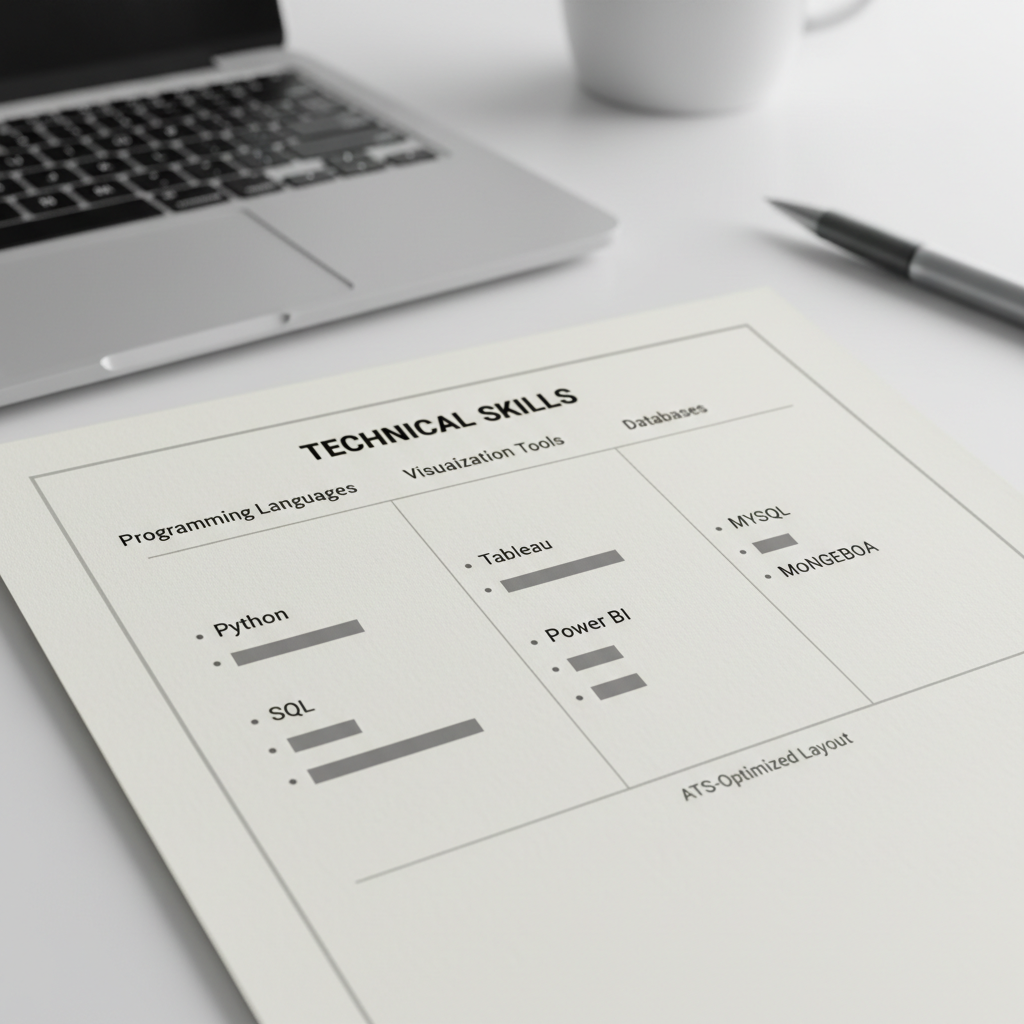
Key Technical Skill Categories
- * Programming and scripting languages you use regularly
- * Data visualization and business intelligence platforms
- * Database management systems and query languages
- * Statistical analysis and modeling software
- * Cloud platforms and data processing tools
- * Specific analytical methodologies and frameworks
- * Project management and collaboration tools
- * Industry-specific software and applications
ATS Guide
Management and Leadership Templates
Management positions require resume templates that showcase leadership accomplishments and strategic thinking. These ATS friendly templates emphasize team development, operational improvements, and business results.


Operations Manager Template
Built for operations managers optimizing processes and driving efficiency. Features sections for operational metrics, process improvements, and team performance achievements.
- * Process optimization results
- * Cost reduction achievements
- * Team productivity metrics
- * Quality improvement statistics

Product Manager Template
Designed for product managers launching and growing products. Highlights product strategy, user research, roadmap development, and cross-functional team leadership.
- * Product launch achievements
- * User adoption and retention metrics
- * Feature prioritization results
- * Cross-functional collaboration
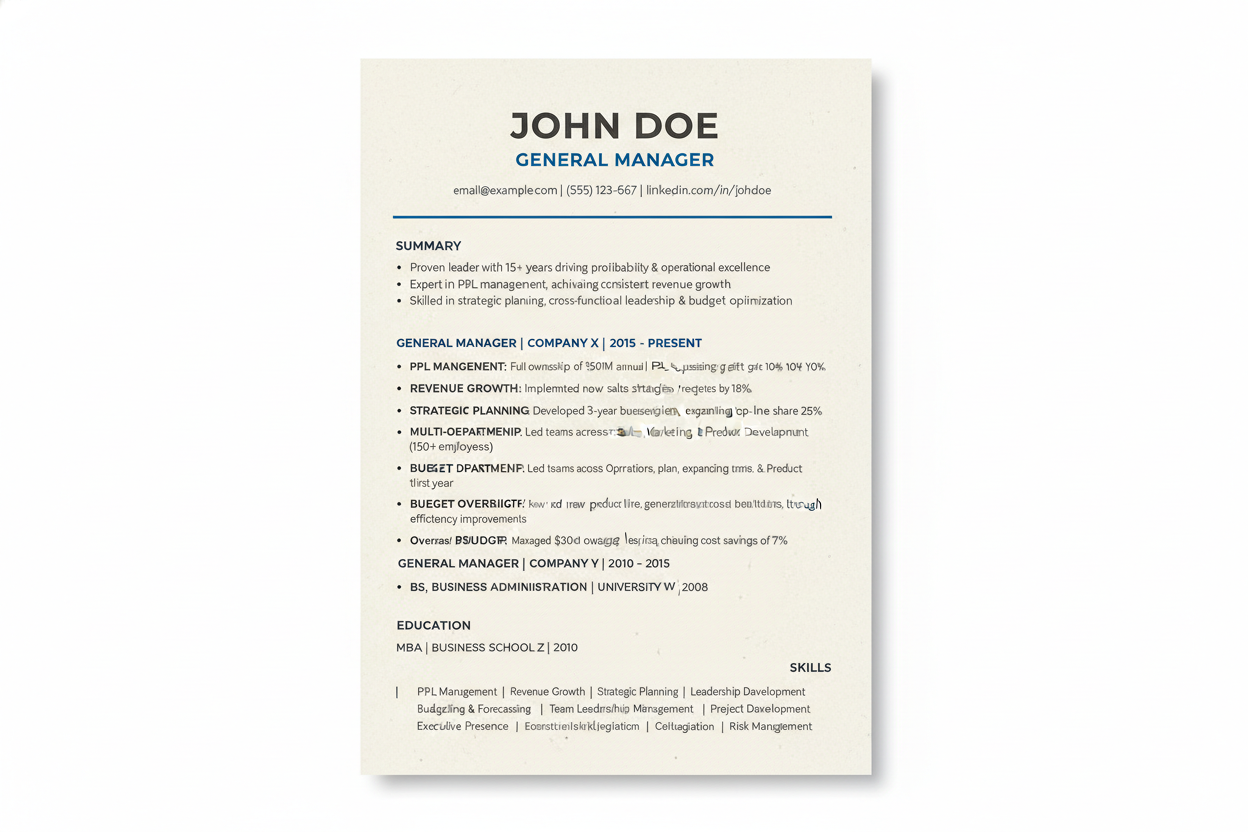
General Manager Template
Perfect for general managers overseeing entire operations. Emphasizes P&L responsibility, revenue growth, strategic initiatives, and comprehensive management experience.
- * P&L management scope
- * Revenue growth achievements
- * Strategic initiative outcomes
- * Multi-department leadership
Leadership Achievement Formatting
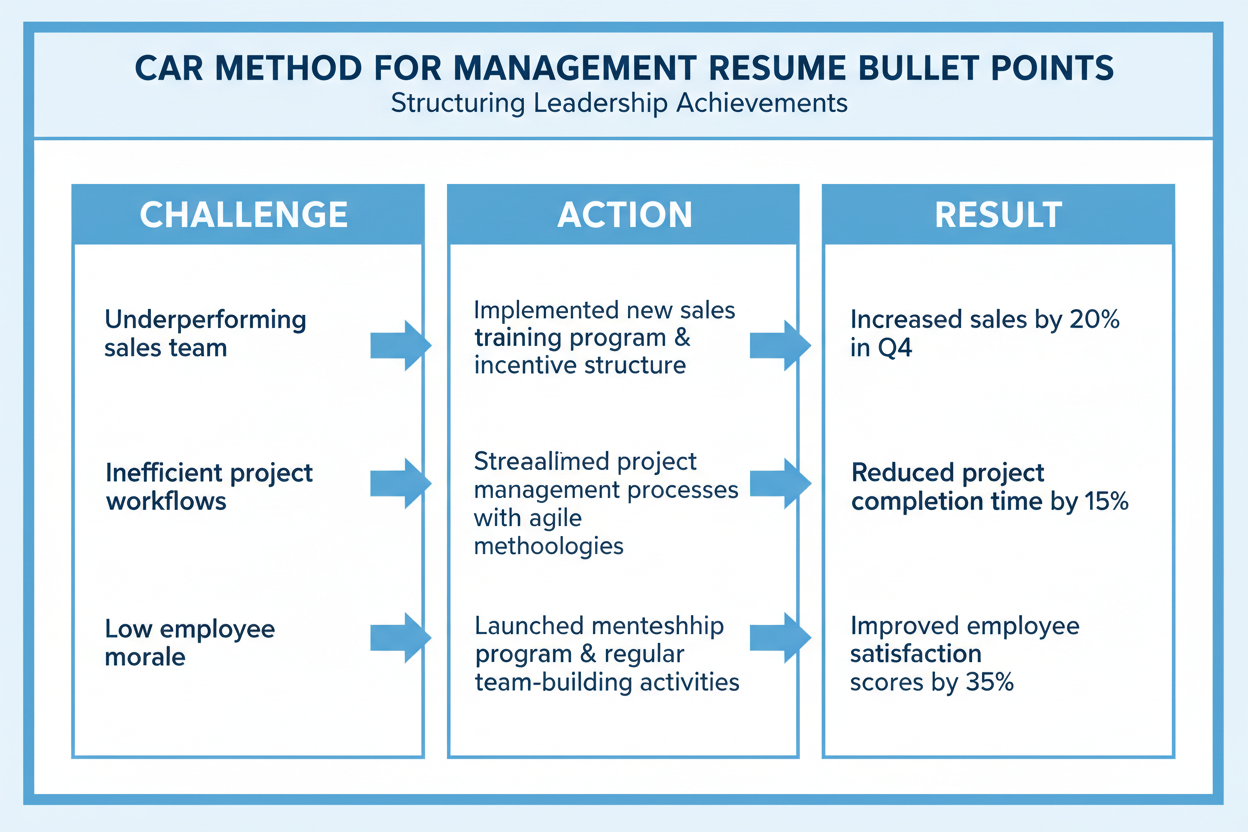
Management resumes should lead with leadership accomplishments rather than responsibilities. Focus on team size, budget oversight, and measurable business impact.
Use the CAR method (Challenge, Action, Result) to structure your management achievements. This format works well with applicant tracking systems because it provides clear context and quantifiable outcomes.
Common Management Resume Mistake
Many managers list responsibilities instead of achievements. Avoid phrases like “Responsible for managing a team” and replace them with specific outcomes like “Led team of 15 to achieve 25% productivity increase.” ATS systems score achievement-based content higher because it includes measurable data that can be matched to job requirements.
ATS Guide
Advertising and Creative Role Templates
Professionals in advertising and creative fields need resume templates that balance creativity with ATS compatibility. These templates showcase campaigns, creative work, and measurable marketing results.

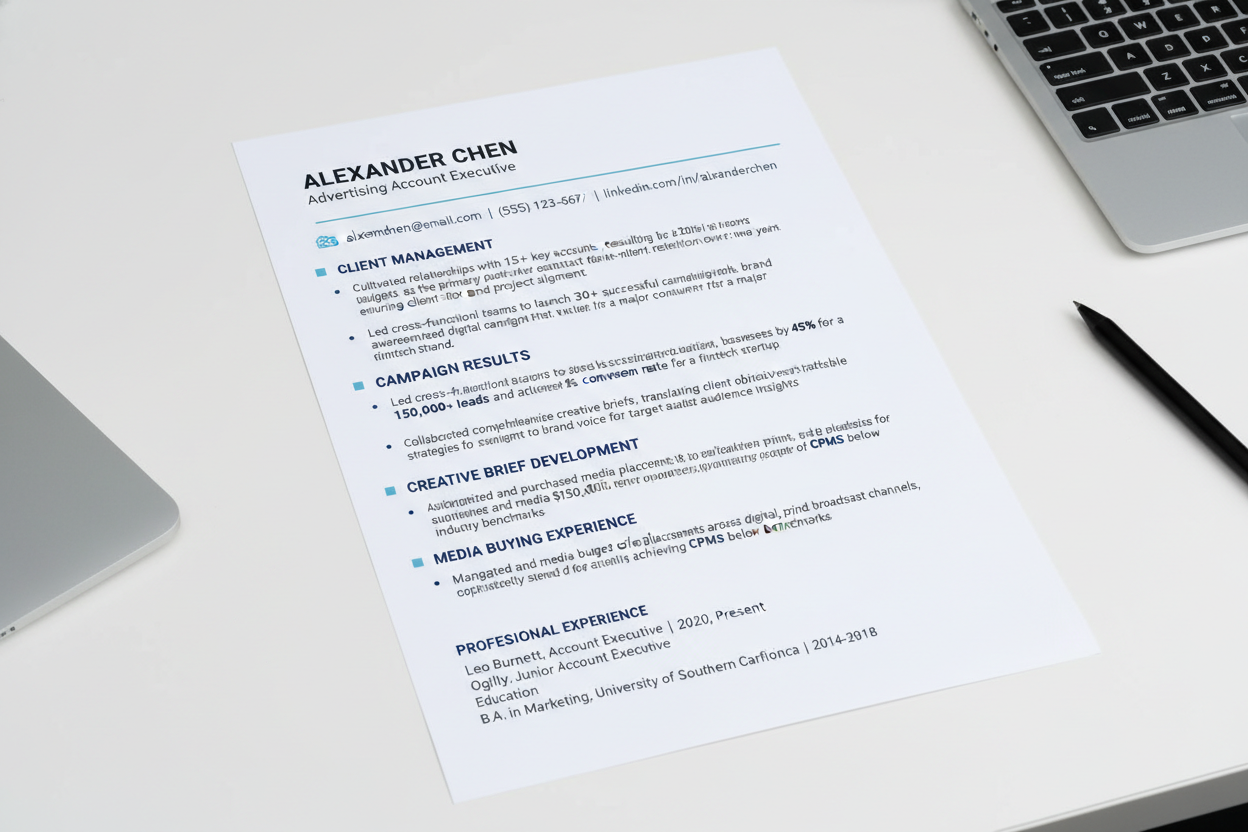
Account Executive Template
Tailored for advertising account executives managing client relationships and campaign execution. Features sections for client portfolio, campaign results, and creative collaboration.
- * Client portfolio size and value
- * Campaign ROI achievements
- * Creative collaboration projects
- * Media planning and buying
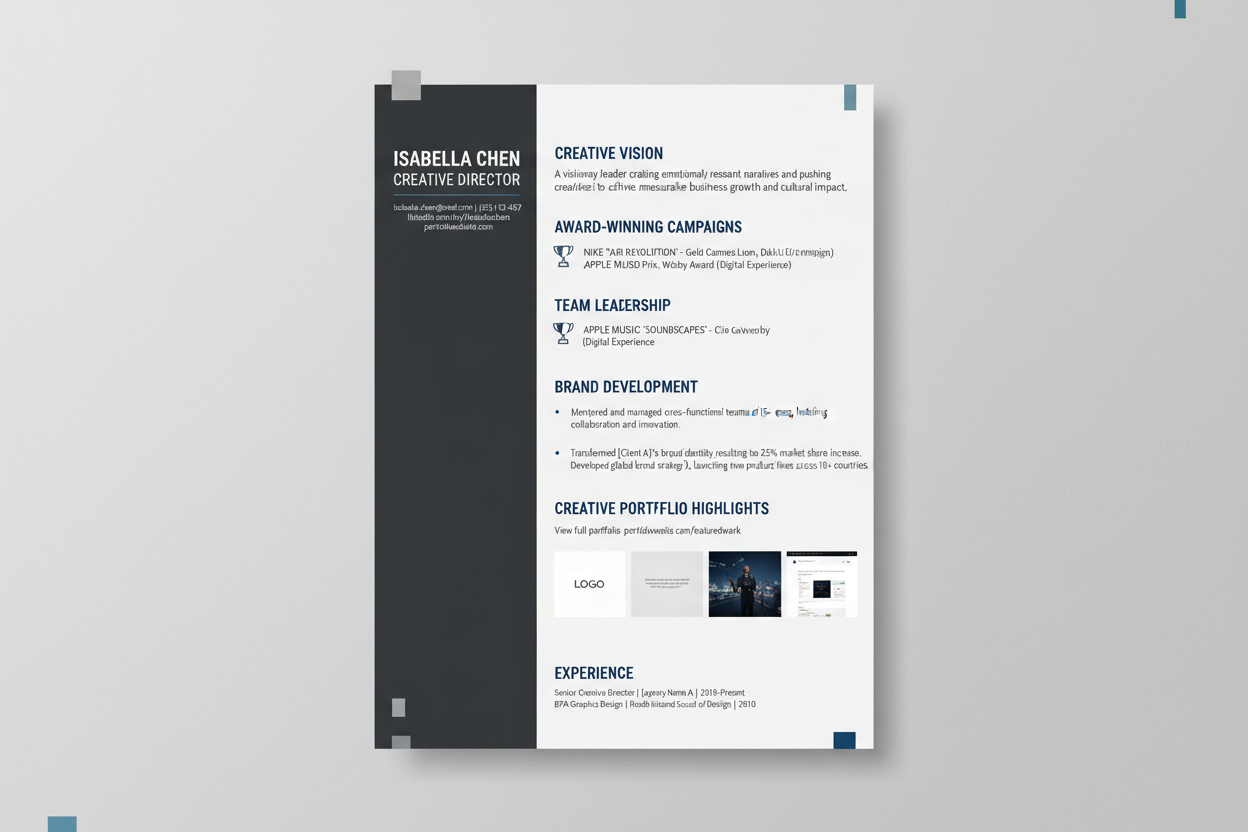
Creative Director Template
Designed for creative directors leading design and content teams. Balances creative achievements with strategic leadership and business impact in an ATS-readable format.
- * Award-winning campaign portfolio
- * Creative team leadership scope
- * Brand development initiatives
- * Strategic creative direction

Media Planner Template
Perfect for media planners developing integrated campaigns across channels. Highlights media strategy, budget management, and campaign performance metrics.
- * Media budget management
- * Cross-channel campaign planning
- * Audience targeting achievements
- * Performance optimization results
Portfolio Integration in ATS Templates
Creative professionals can reference their portfolio within ATS friendly templates without breaking compatibility. Include a portfolio URL in your contact information section and mention specific projects in your work experience.
Describe creative projects using concrete results like engagement rates, conversion improvements, or award recognition. This approach satisfies both applicant tracking systems and creative hiring managers.

ATS Guide
Entry-Level and Career Change Templates
Job seekers starting their careers or changing industries need resume templates that emphasize transferable skills and education. These ATS resume templates help you showcase potential when experience is limited.

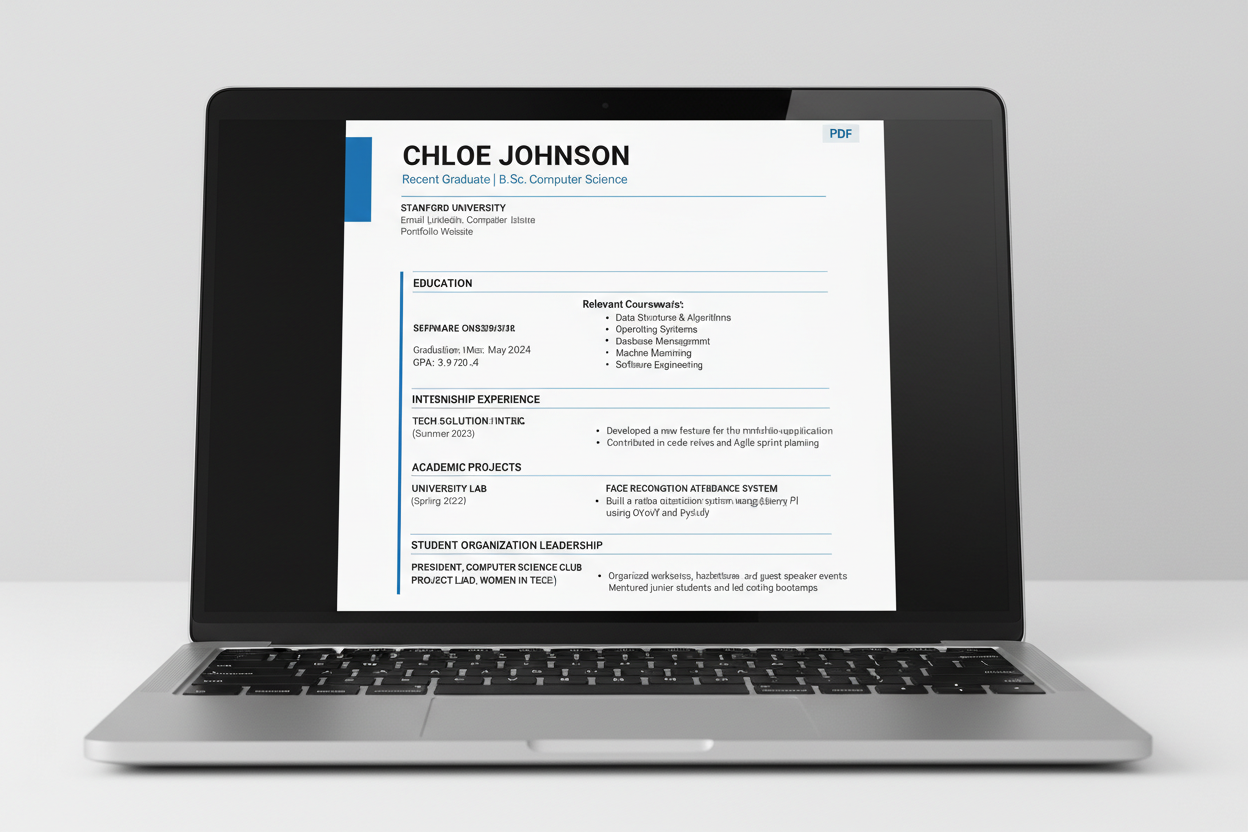
Recent Graduate Template
Optimized for college graduates entering the workforce. Emphasizes education, internships, academic projects, and relevant coursework in an ATS-compatible structure.
- * Education-focused layout
- * Internship experience highlights
- * Academic project descriptions
- * Relevant coursework section
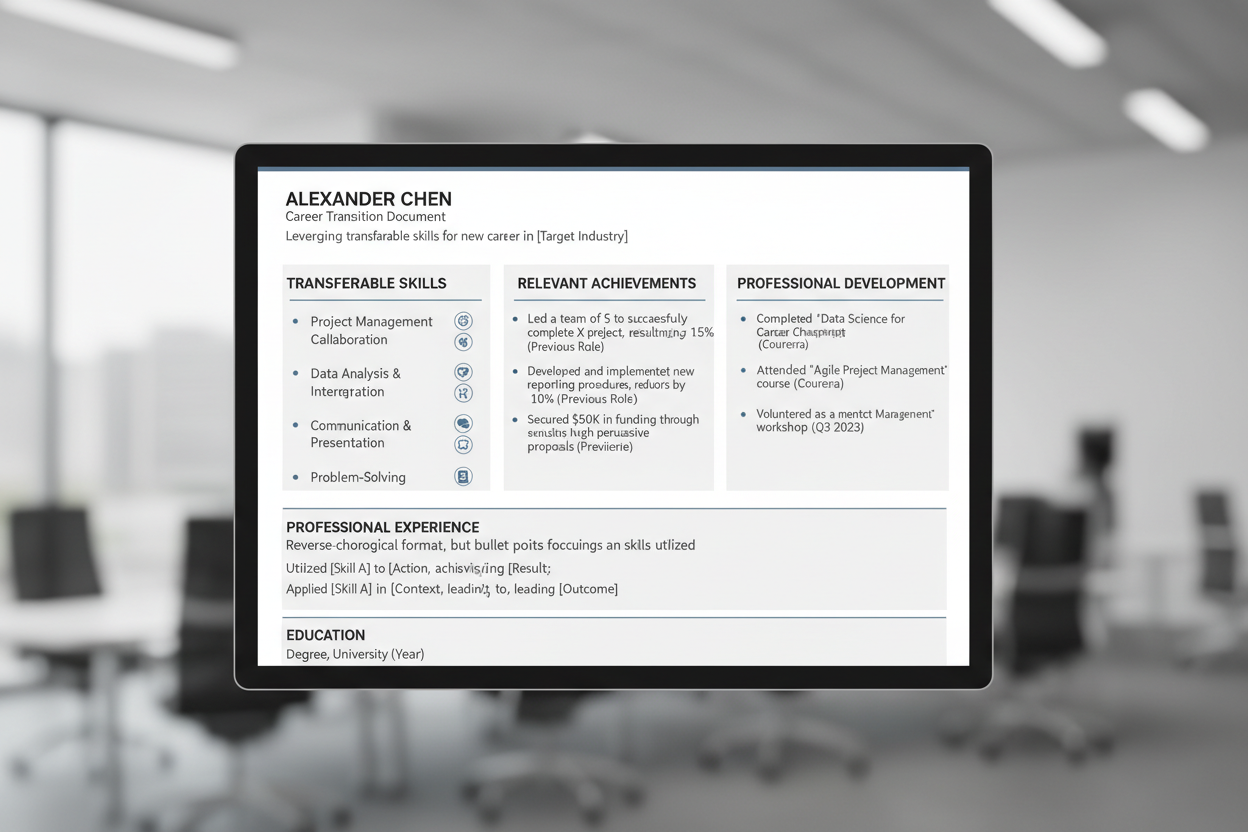
Career Change Template
Designed for professionals transitioning to new industries. Highlights transferable skills, relevant achievements, and demonstrates how previous experience applies to target roles.
- * Transferable skills emphasis
- * Relevant achievement focus
- * Industry crossover highlights
- * Professional development section
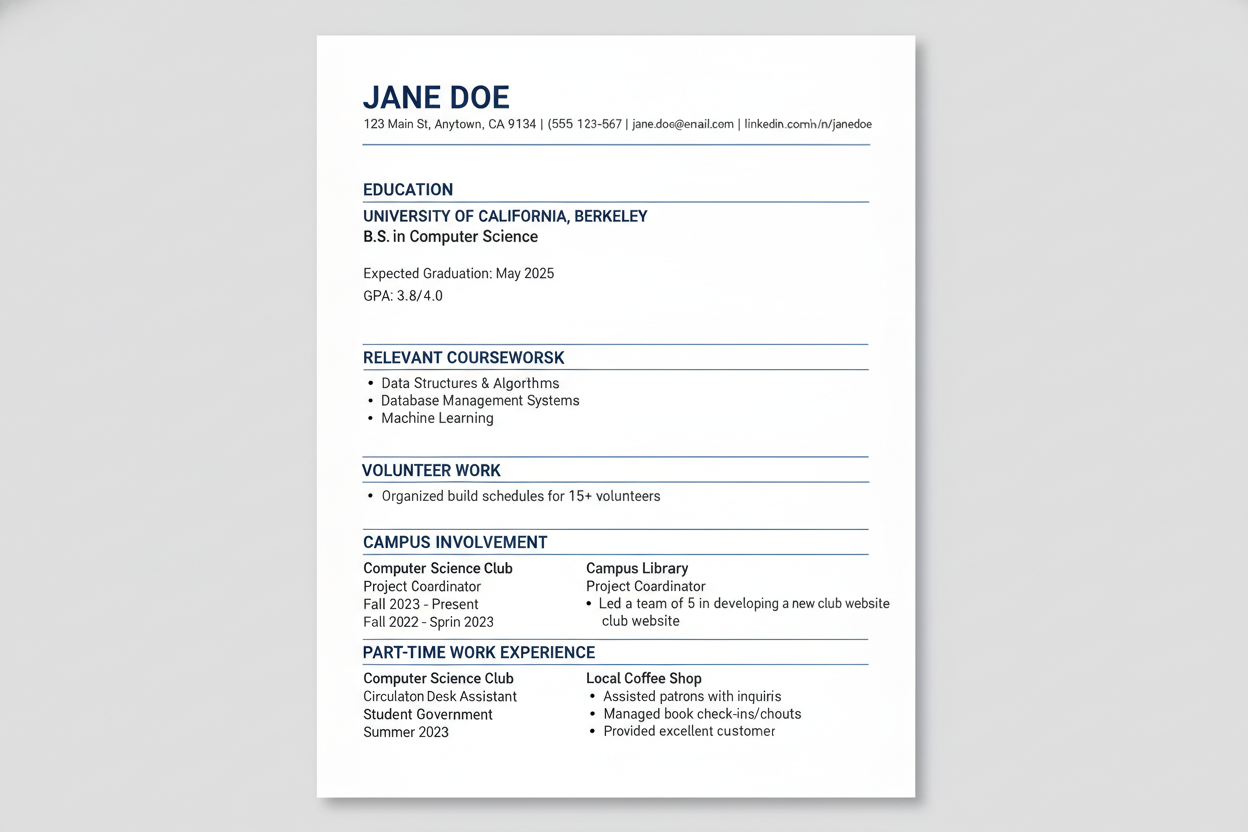
Internship Applicant Template
Perfect for students seeking internships with limited work experience. Emphasizes academic achievements, volunteer work, campus involvement, and enthusiasm for learning.
- * Academic achievements focus
- * Campus involvement highlights
- * Volunteer experience section
- * Skills and certifications
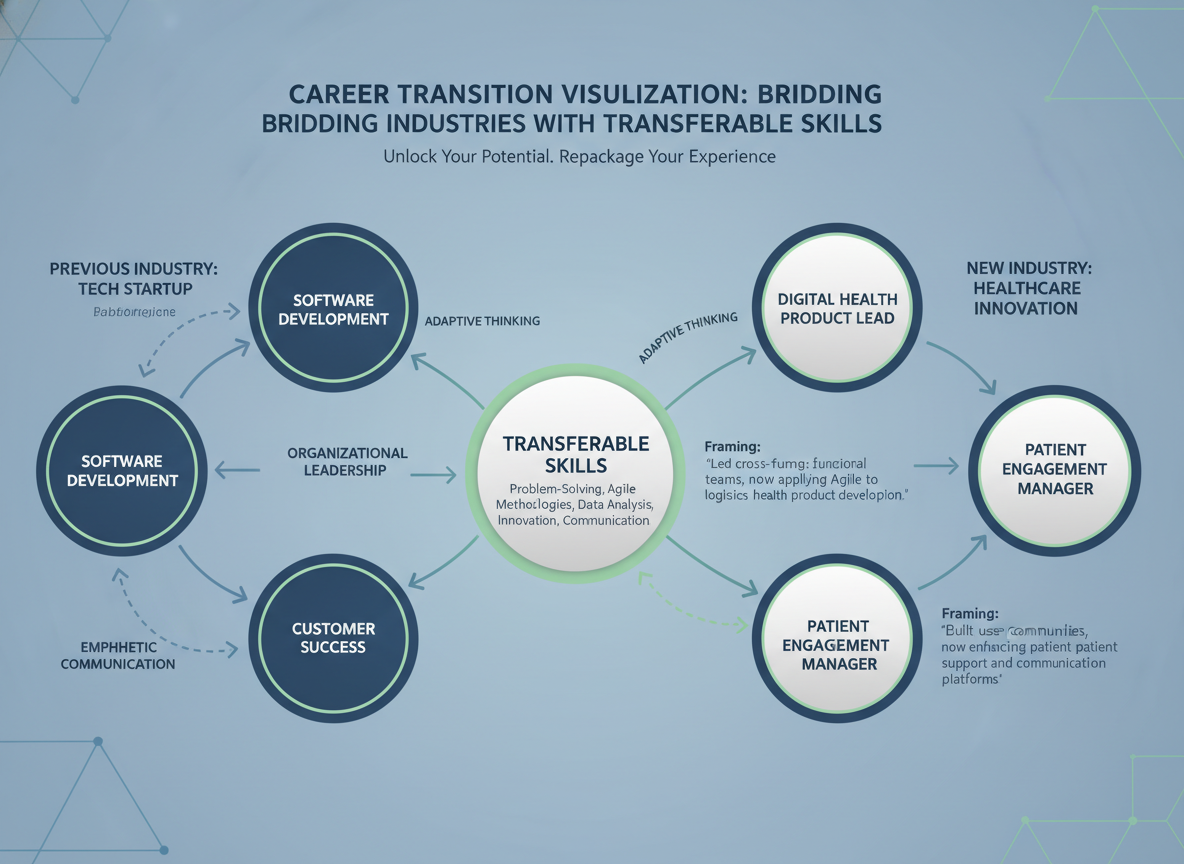
Transferable Skills Presentation
When work experience is limited, transferable skills become critical. Identify skills from academic projects, volunteer work, or previous careers that apply to your target position.
Frame these transferable skills using the same keywords found in job descriptions. Applicant tracking systems will recognize these matches even when your job titles don’t perfectly align.
Transferable Hard Skills
- * Software and technology proficiency
- * Data analysis and research capabilities
- * Project management and organization
- * Written and verbal communication
- * Foreign language abilities
- * Technical writing and documentation
Transferable Soft Skills
- * Leadership and team collaboration
- * Problem-solving and critical thinking
- * Time management and prioritization
- * Adaptability and learning agility
- * Customer service orientation
- * Attention to detail and accuracy
ATS Guide
ATS Resume Formatting Best Practices
Beyond template selection, specific formatting choices determine whether your resume passes through applicant tracking systems successfully. These best practices ensure maximum ATS compatibility.
File Format and Submission Guidelines
Submit your resume as a .docx file unless the job posting specifically requests PDF format. Most applicant tracking systems parse Word documents more reliably than PDFs.
Name your file professionally using your name and the word resume, like “John-Smith-Resume.docx.” Avoid special characters, dates, or version numbers in filenames.
Recommended File Practices
- * Use .docx format as default submission
- * Name files with your name and “Resume”
- * Keep filename simple without special characters
- * Use PDF only when explicitly requested
- * Test file opens correctly before sending
- * Avoid compressed or zipped file submissions
File Practices to Avoid
- * Submitting resume as image files (JPG, PNG)
- * Using generic names like “Resume.docx”
- * Including dates or versions in filename
- * Sending as PDF without confirmation it’s accepted
- * Using special characters in file names
- * Submitting multiple file formats at once
Margin and Spacing Requirements
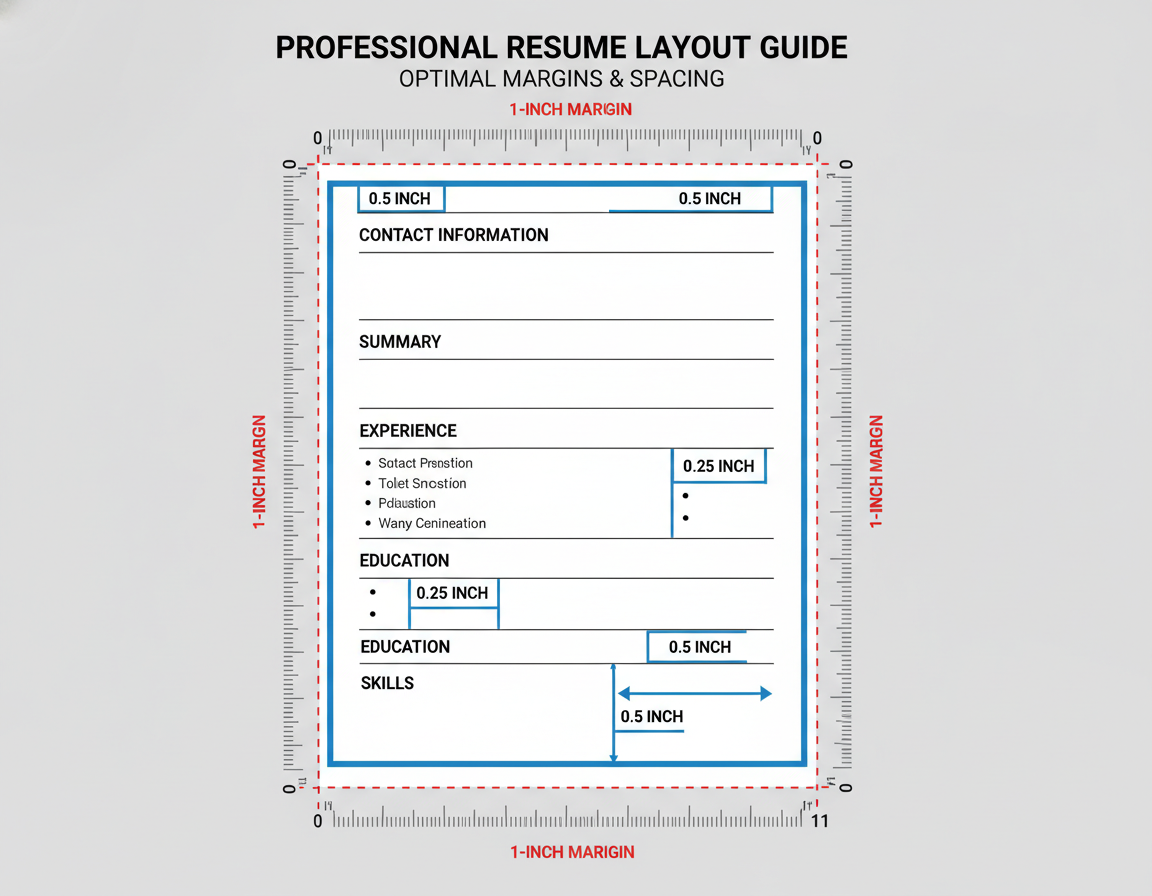
Maintain standard one-inch margins on all sides of your resume. Applicant tracking systems expect conventional document spacing and may miss content in non-standard margin areas.
Use single spacing within sections and add an extra line break between sections. Consistent spacing helps ATS software identify where one section ends and another begins.
Section Order and Organization
Arrange your resume sections in a logical order that applicant tracking systems expect. Start with contact information, followed by professional summary, work experience, education, and skills.
Some ATS software assigns different weights to information based on section order. Placing your most relevant experience early in the document can improve your match score.
- * Contact Information at the top of page one
- * Professional Summary or Objective immediately below contact details
- * Work Experience as the primary content section
- * Education section following work experience
- * Skills section near the end for keyword scanning
- * Optional sections like Certifications, Volunteer Work, or Languages
- * References statement or availability note at bottom if needed
Content Length and Page Limits
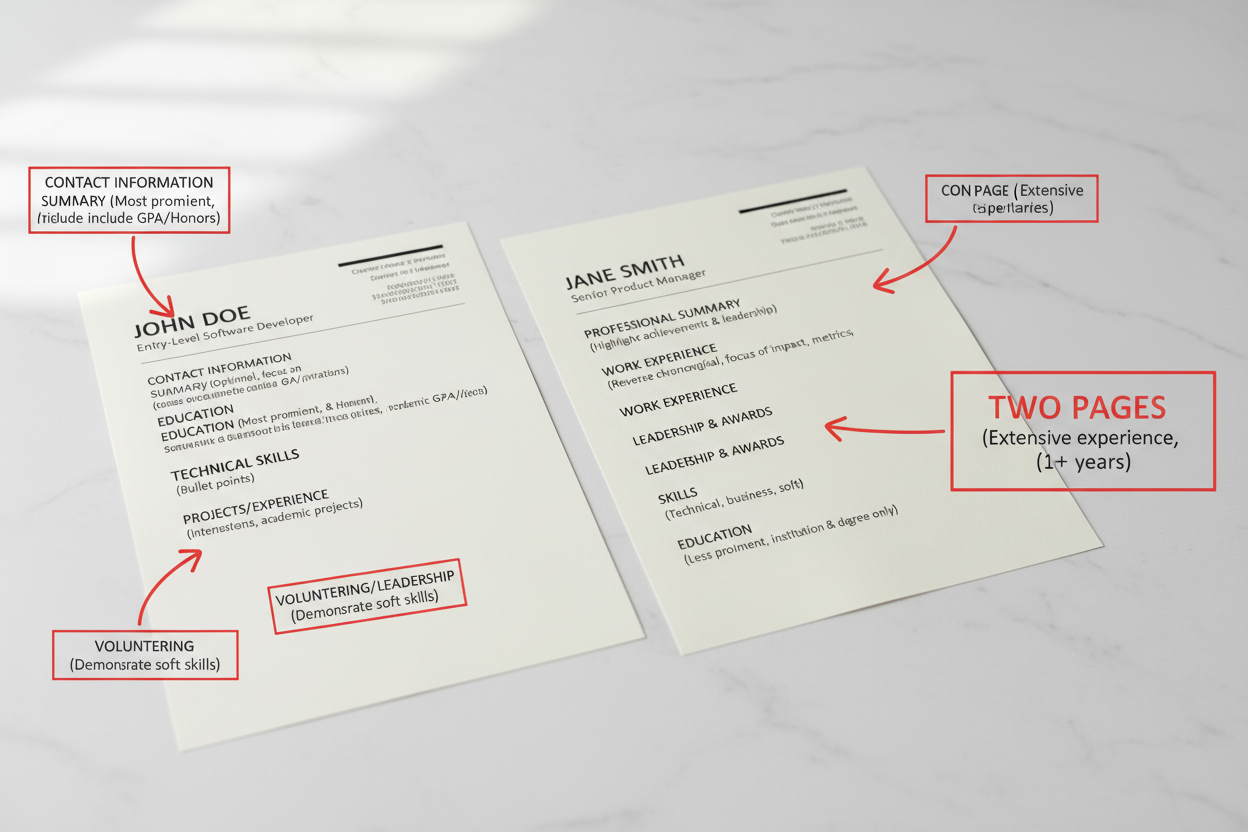
Keep your resume to one or two pages maximum. Most applicant tracking systems can handle multiple pages, but recruiters prefer concise resumes that highlight the most relevant information.
One page works well for professionals with less than ten years of experience. Two pages suit senior professionals with extensive relevant accomplishments.
| Experience Level | Recommended Length | Key Focus Areas |
|---|---|---|
| Entry-Level (0-3 years) | 1 page | Education, internships, skills, academic projects |
| Mid-Career (3-10 years) | 1-2 pages | Recent roles, key achievements, relevant skills |
| Senior-Level (10+ years) | 2 pages | Leadership roles, strategic impact, executive achievements |
| Executive/C-Suite | 2 pages | Business transformation, P&L responsibility, board experience |
ATS Guide
Keyword Optimization for ATS Success
Strategic keyword placement dramatically improves your ATS match score. Understanding how to identify and incorporate relevant keywords makes the difference between rejection and interview.
Identifying Target Keywords
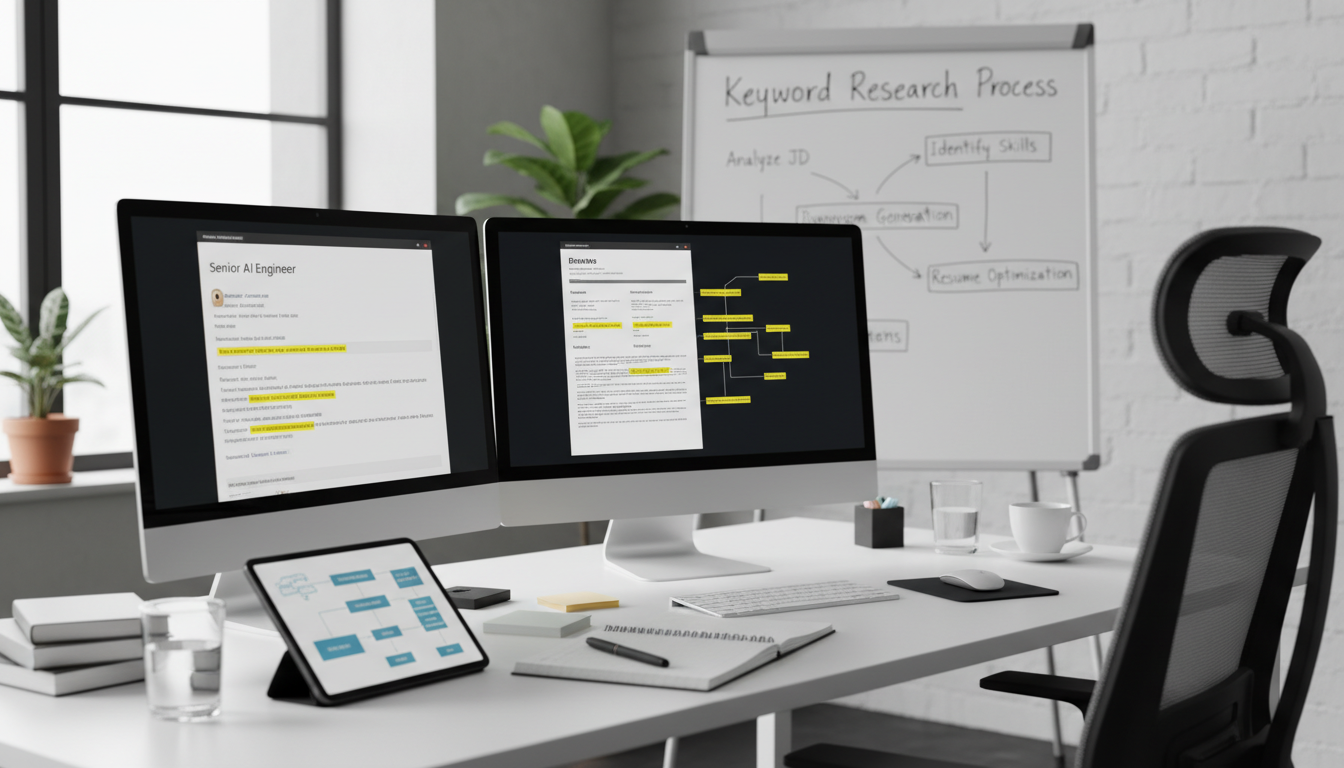
Extract keywords directly from job descriptions you’re targeting. Look for repeated skills, qualifications, and requirements that appear in multiple similar postings.
Pay special attention to keywords in the required qualifications section. Applicant tracking systems weigh these keywords more heavily than those in preferred qualifications.
Where to Find Resume Keywords
- * Job title variations and related position names
- * Required skills and technical proficiencies listed
- * Years of experience and education requirements
- * Industry-specific terminology and jargon
- * Software, tools, and technology platforms mentioned
- * Certifications and credentials requested
- * Soft skills and behavioral competencies described
- * Responsibilities and duties in job description
- * Company values and cultural fit indicators

Natural Keyword Integration
Incorporate keywords naturally throughout your resume content. Avoid keyword stuffing, which makes your resume difficult to read and may be flagged by ATS software.
Use exact phrases from the job description when they accurately describe your experience. Applicant tracking systems often search for specific phrases in addition to individual words.
Keyword Integration Example
Job Description Phrase: “Experience with customer relationship management software”
Weak Integration: “Used CRM”
Strong Integration: “Managed customer relationship management software (Salesforce) to track 500+ client interactions and increase retention by 23%”
The strong example uses the exact phrase while adding context and results, satisfying both ATS algorithms and human recruiters.
Keyword Variation and Synonyms
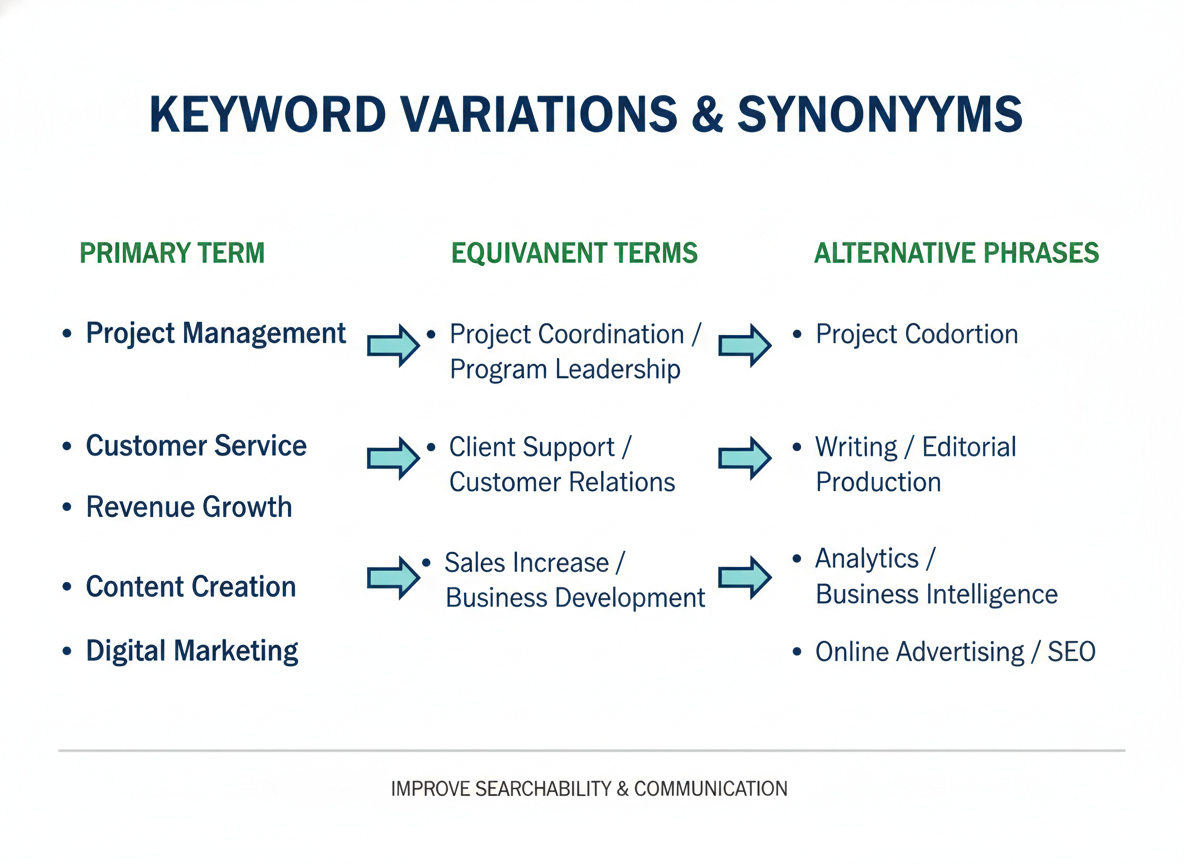
Include variations and synonyms of important keywords to capture different search terms. For example, use both “customer service” and “client support” if relevant to your experience.
Account for acronyms by spelling out the full term followed by the acronym in parentheses on first use. This ensures the ATS recognizes both versions.
Keyword Density and Placement
Place your most important keywords in multiple sections of your resume. Include them in your professional summary, skills section, and work experience descriptions.
Aim for keyword density between 2-3% of total resume content. Too few keywords decrease your match score, while excessive keywords appear unnatural and reduce readability.
| Resume Section | Keyword Purpose | Best Practices |
|---|---|---|
| Professional Summary | High-value keyword concentration | Include 5-7 most important keywords naturally |
| Work Experience | Contextual keyword usage | Weave keywords into achievement descriptions |
| Skills Section | Keyword list for ATS scanning | List technical and soft skills with variations |
| Education | Credential and qualification keywords | Include degree types, majors, certifications |
ATS Guide
Common ATS Resume Mistakes to Avoid
Even small formatting errors can prevent your resume from being parsed correctly by applicant tracking systems. Understanding these common mistakes helps you avoid application rejection.

Headers and Footers with Critical Information
Never place your contact information, name, or other important details in headers or footers. Many applicant tracking systems skip header and footer content entirely.
Keep all essential information in the main body of your resume. Your name and contact details should appear at the top of the page within the normal document margins.
Critical Header/Footer Warning
Over 60% of ATS software fails to parse information contained in headers and footers. If your phone number or email address is in a header, the system may not be able to contact you even if you’re a perfect match for the position. Always place contact information in the main document body.
Using Tables and Text Boxes
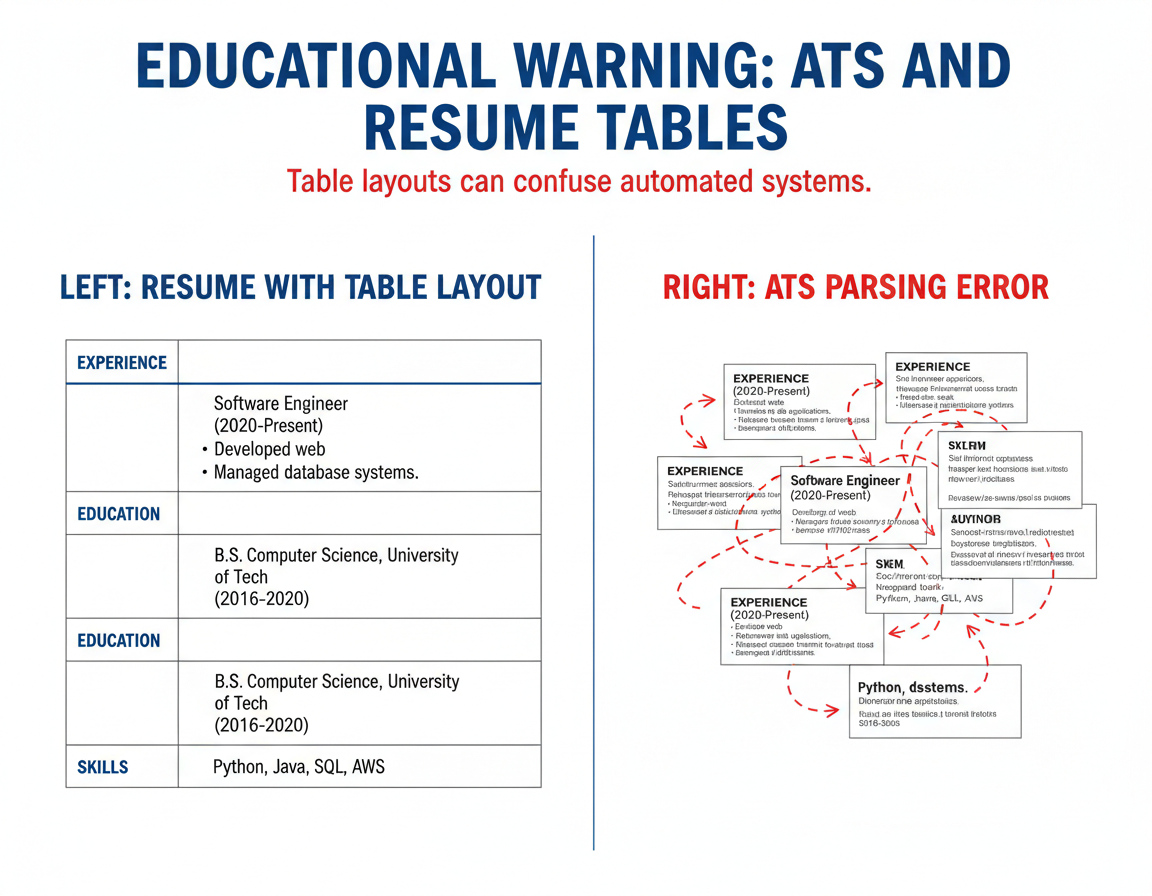
Tables and text boxes confuse ATS parsing algorithms. The software may read table contents in the wrong order or skip text box content completely.
Format your resume using standard paragraph and bullet point structures instead. This ensures the ATS reads your information in the correct sequence.
Graphics, Images, and Charts
Applicant tracking systems cannot read information embedded in images, graphs, or charts. Any text within graphics will be invisible to the ATS.
Convert visual information to text format in your ATS resume. Use bullet points to list skills instead of visual skill rating bars, for example.
Visual Elements That Break ATS
- * Skill rating bars or graphical proficiency indicators
- * Company logos or personal photos
- * Timeline graphics showing career progression
- * Infographic-style resume sections
- * Charts or graphs displaying achievements
- * Decorative design elements and borders
- * Icons used instead of text labels
ATS-Compatible Alternatives
- * Text list of skills with proficiency levels
- * Standard text-based contact information
- * Chronological work experience with dates
- * Simple text sections with clear headings
- * Numerical data written as text (increased sales by 45%)
- * Clean typography without decorative elements
- * Standard bullet points with text descriptions
Inconsistent Date Formatting
Use the same date format throughout your entire resume. Inconsistent date formatting confuses ATS software when calculating your total years of experience.
Choose a standard format like “January 2020” or “01/2020” and apply it to all employment dates, education dates, and certification dates.
Special Characters and Symbols
Avoid special characters like ©, ®, or unusual symbols in your resume content. Some applicant tracking systems cannot process these characters correctly.
Stick to standard keyboard characters, including basic punctuation marks. Use standard bullet points instead of custom symbols or icons.
Can I use an ampersand (&) or percent sign (%) in my ATS resume?
Yes, basic symbols like ampersands (&) and percent signs (%) are generally safe to use in ATS-friendly resumes. These common characters are recognized by most applicant tracking systems. However, spell out “and” when possible, and write “percent” in formal contexts. Reserve symbols for cases where they appear in official names (like “AT&T”) or when presenting statistics where the symbol is standard (“increased sales by 30%”).
What happens if I use custom bullet points?
Custom bullet points (stars, arrows, checkmarks) may not be recognized by ATS software, potentially causing the system to skip or misread the bulleted content. The safest approach is to use standard round bullets (•) or simple dashes (-). These basic bullet styles are universally recognized across all applicant tracking systems and ensure your achievements are properly parsed and scored.
ATS Guide
How to Test Your Resume for ATS Compatibility
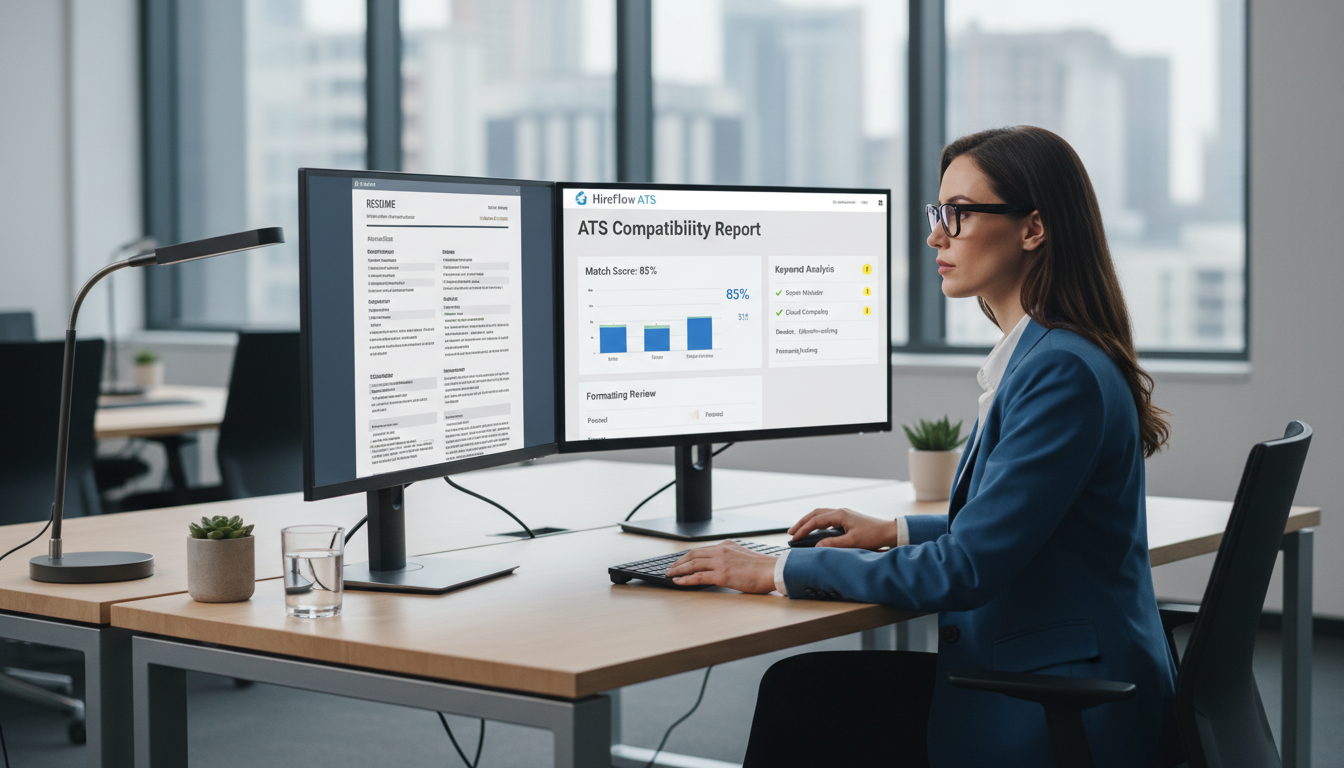
Testing your resume before submission helps identify formatting issues that could prevent successful parsing. Several methods can verify your resume works with applicant tracking systems.
Plain Text Conversion Test
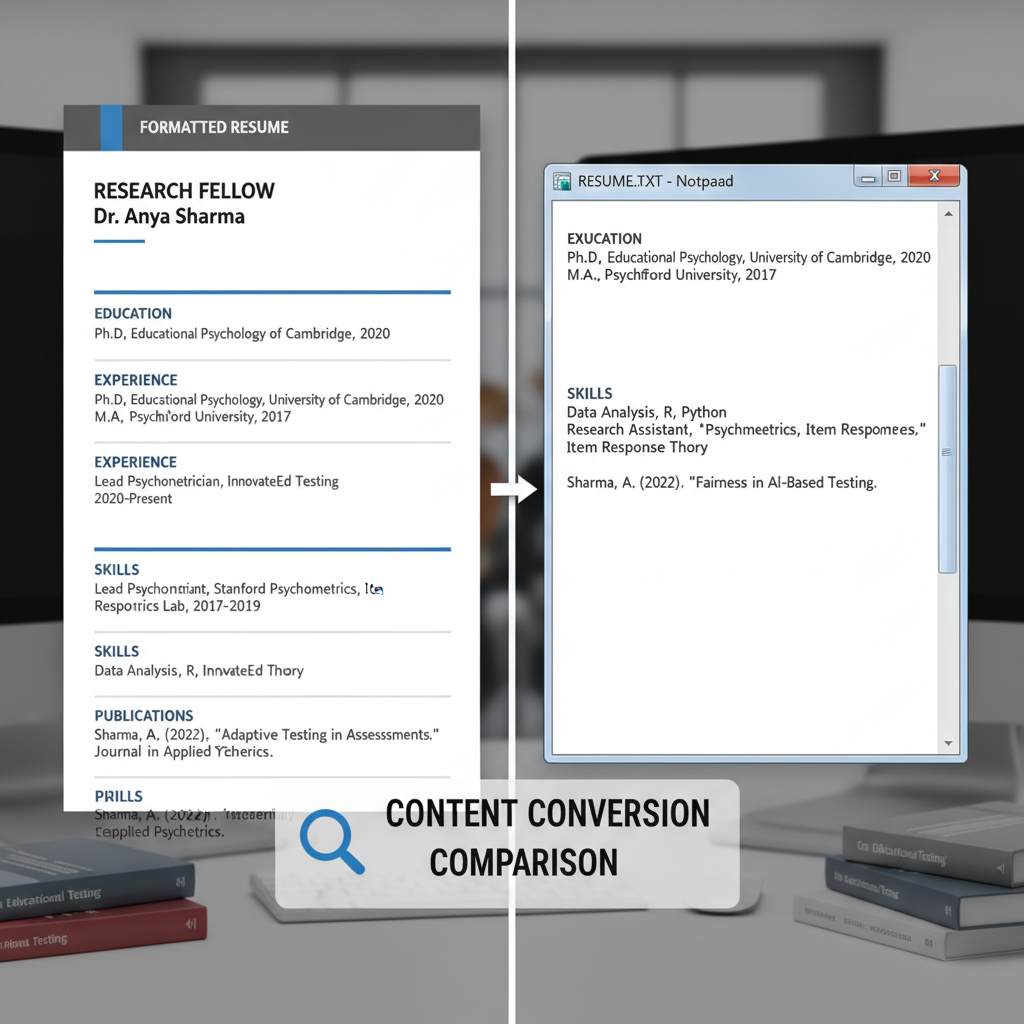
Copy your resume content and paste it into a plain text editor like Notepad. If the information appears jumbled, out of order, or missing content, an ATS will likely have similar problems.
Review the plain text version carefully. Your section headings, dates, and contact information should all be visible and in the correct order.
Plain Text Test Steps
- 1. Open your resume file in Word or your preferred editor
- 2. Select all content (Ctrl+A or Cmd+A)
- 3. Copy the selected content to clipboard
- 4. Open Notepad (Windows) or TextEdit (Mac) in plain text mode
- 5. Paste the content and review carefully
- 6. Check that all information appears in logical order
- 7. Verify contact details are present and readable
Online ATS Resume Checkers
Several online tools scan your resume and identify ATS compatibility issues. These checkers analyze formatting, keyword usage, and structure to provide improvement recommendations.
Upload your resume to multiple checkers since different tools test for various issues. Common problems identified include missing keywords, formatting errors, and section organization.

Keyword Match Analysis
Compare your resume keywords against target job descriptions. Calculate what percentage of required keywords appear in your resume content.
Aim for at least 70-80% keyword match with job requirements. Higher match percentages increase your likelihood of passing ATS screening and advancing to human review.
| Match Percentage | ATS Performance | Recommended Action |
|---|---|---|
| Below 50% | Poor – Likely rejected by ATS | Significant revision needed, add missing keywords |
| 50-69% | Moderate – May pass screening | Add relevant keywords, improve content alignment |
| 70-89% | Good – Strong chance of passing | Minor optimization, review for natural flow |
| 90%+ | Excellent – High ATS compatibility | Check for keyword stuffing, ensure readability |
Professional Resume Review
Consider having a resume professional review your ATS-optimized resume. They can identify subtle issues that automated tools might miss.
Professional reviewers understand both ATS requirements and recruiter expectations. They ensure your resume satisfies software algorithms while remaining compelling to human readers.
Get Professional ATS Resume Review
Have your resume reviewed by ATS optimization experts. We’ll identify compatibility issues, improve keyword strategy, and ensure your resume passes both software and human screening.
ATS Guide
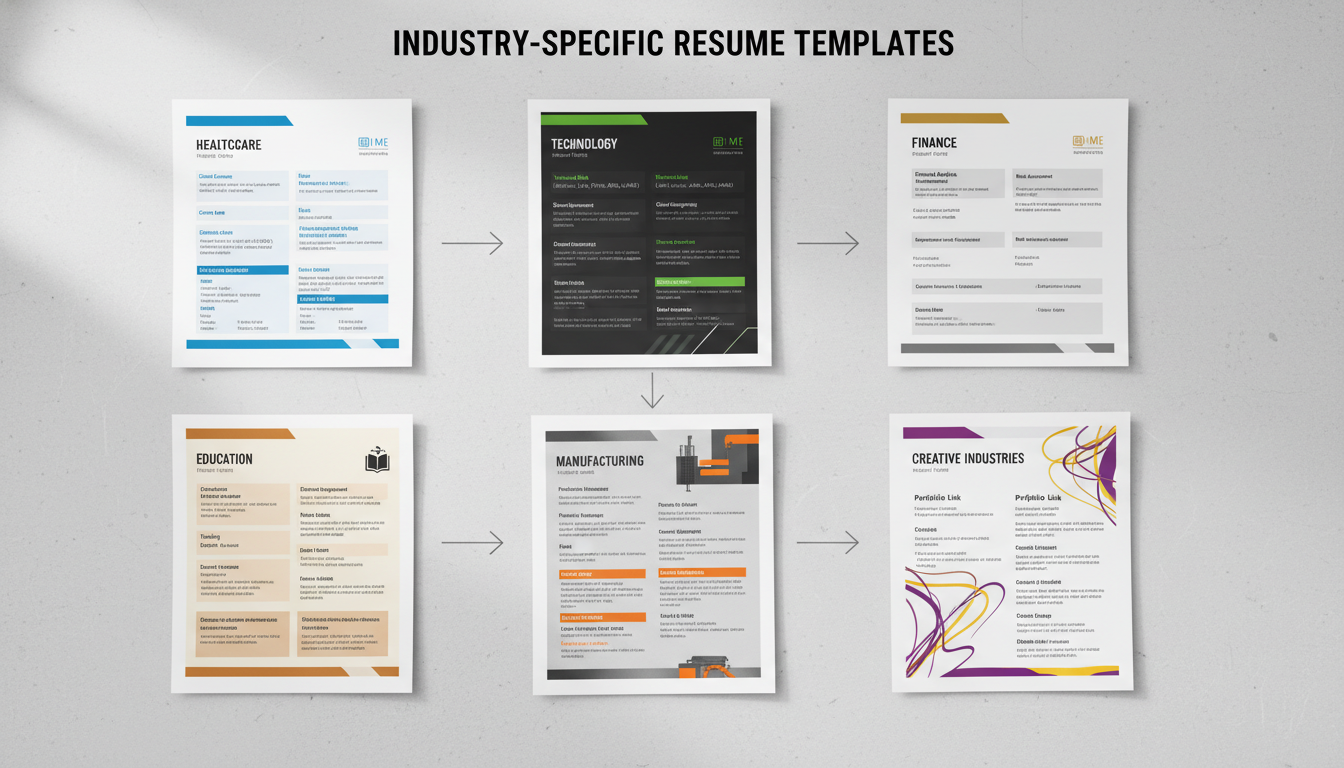
Industry-Specific ATS Resume Considerations
Different industries use applicant tracking systems with varying priorities and keyword requirements. Tailoring your ATS resume template to industry standards improves your success rate.
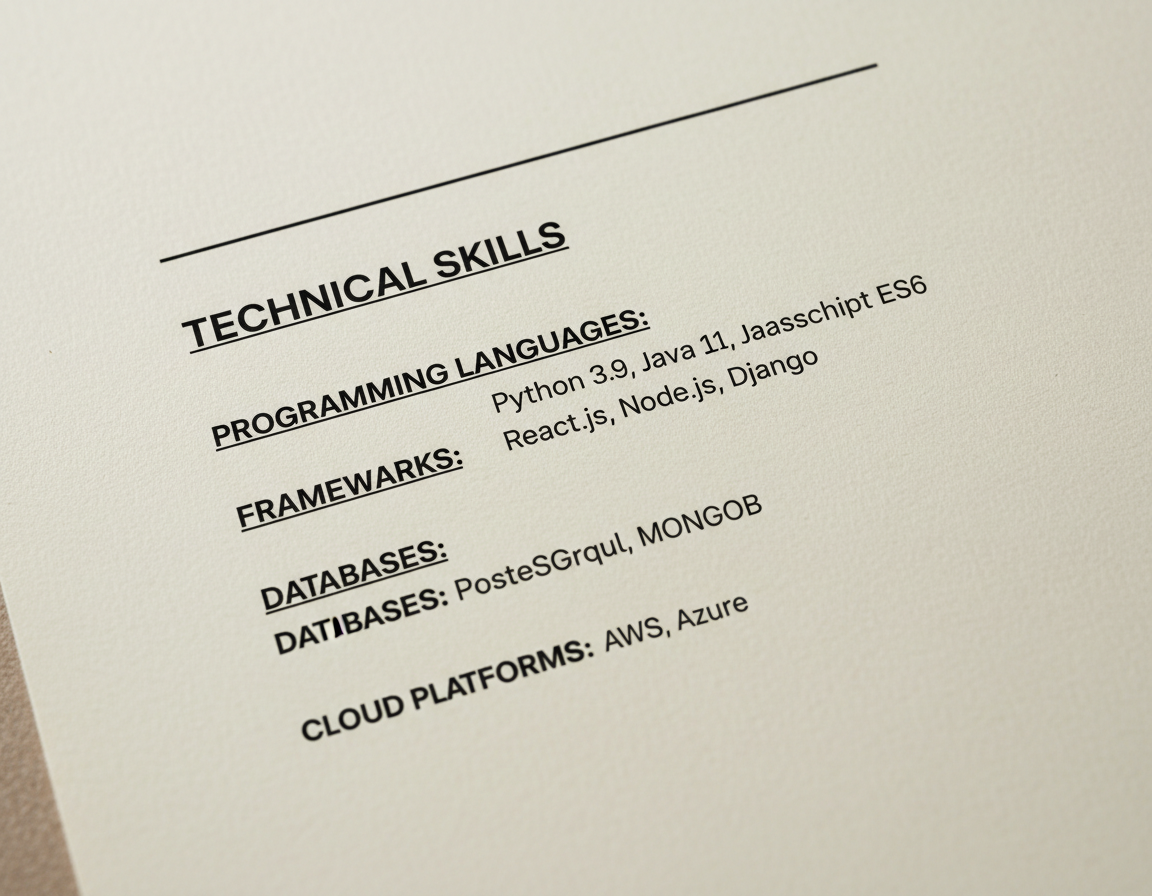
Technology and IT Resumes
Technology resumes require detailed technical skills sections listing programming languages, frameworks, and tools. ATS systems in tech companies scan specifically for technical keyword matches.
Include version numbers and specific technologies rather than general terms. Write “Python 3.9” instead of just “Python,” and “React.js” instead of “front-end development.”
Healthcare and Medical Resumes
Healthcare resumes must include specific credentials, licenses, and certifications. Medical applicant tracking systems prioritize these qualifications heavily in candidate scoring.
List license numbers, certification dates, and specialty areas exactly as they appear on your credentials. Include both acronyms and full names for medical certifications.
Essential Healthcare Resume Elements
- * Medical licenses with numbers and states
- * Board certifications and specialties
- * Clinical skills and procedures performed
- * Electronic health record (EHR) systems
- * Patient care statistics and outcomes
- * Continuing education and CME credits
Healthcare Keyword Strategy
- * Include medical terminology and specialties
- * List specific treatment protocols and procedures
- * Name healthcare software and systems used
- * Include patient population demographics served
- * Mention compliance standards (HIPAA, OSHA)
- * List quality improvement methodologies
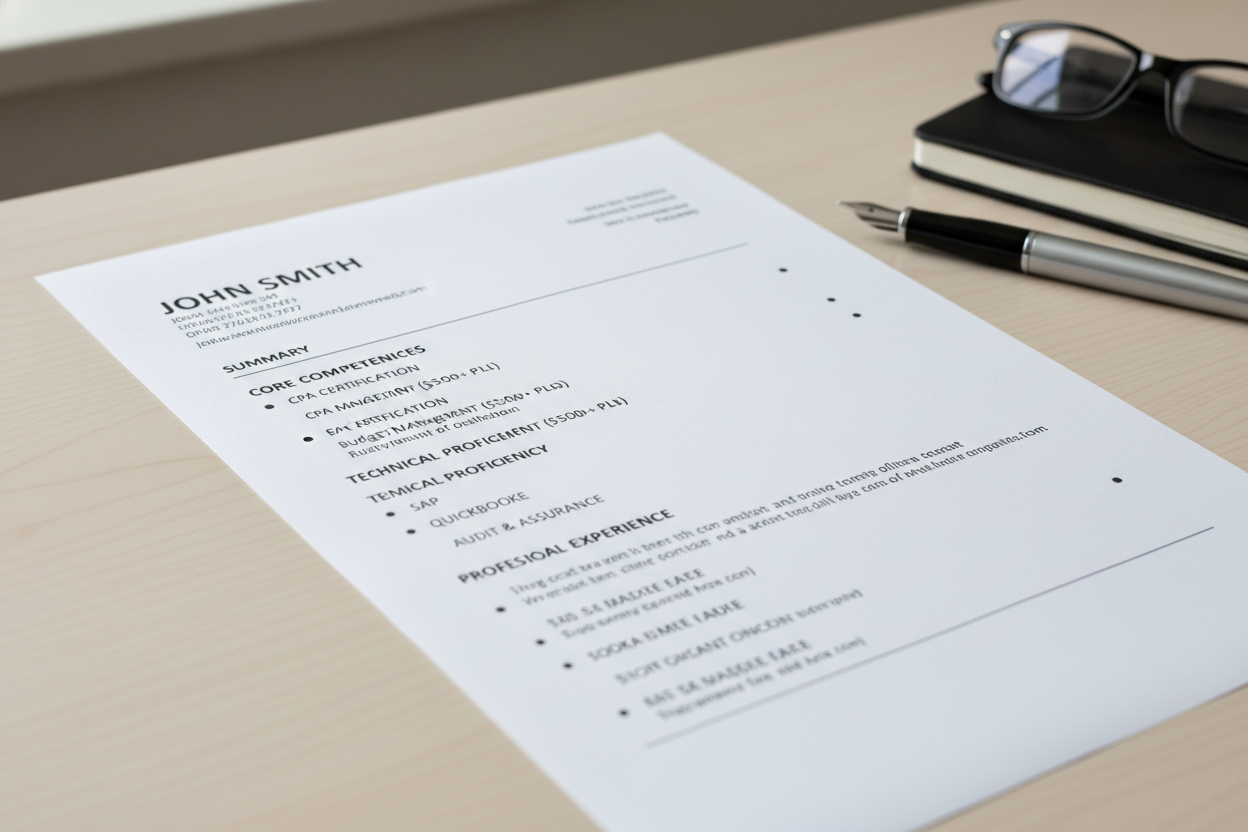
Finance and Accounting Resumes
Finance resumes benefit from specific software proficiencies and certification details. ATS systems in financial services search for accounting software, financial modeling tools, and regulatory knowledge.
Quantify your financial impact with specific dollar amounts, percentage improvements, and scope of budget responsibility. These metrics help ATS systems match you to appropriate seniority levels.
Education and Teaching Resumes
Education resumes should emphasize teaching certifications, subject matter expertise, and grade levels taught. ATS systems in education scan for specific teaching credentials and educational methodology.
Include state teaching licenses, endorsements, and specialized training. List curriculum development experience and student achievement data when available.
Education Resume Priority Keywords
Teacher certification type and number, grade levels taught, subject matter expertise, classroom management approaches, curriculum frameworks (Common Core, IB, AP), educational technology platforms, student assessment methods, and professional development hours. ATS systems in education districts specifically scan for these credentials and keywords when filtering applicants.
ATS Guide
Keeping Your ATS Resume Current
Your ATS friendly resume template requires regular updates to remain effective. Industry changes, new skills, and evolving applicant tracking technology demand ongoing resume maintenance.

Quarterly Resume Reviews
Review and update your resume every three months, even when not actively job searching. Add new skills, certifications, and achievements as you acquire them.
Regular updates prevent the overwhelming task of completely rewriting your resume when a great opportunity appears. You can apply quickly with current, accurate information.
- * Review job descriptions for your role to identify emerging keywords
- * Add new technical skills and certifications earned
- * Update your current role with recent achievements and metrics
- * Remove outdated skills that are no longer industry-relevant
- * Refresh professional summary to reflect career growth
- * Check that contact information remains current
- * Test resume with latest ATS compatibility tools
- * Save updated version with current date for version control
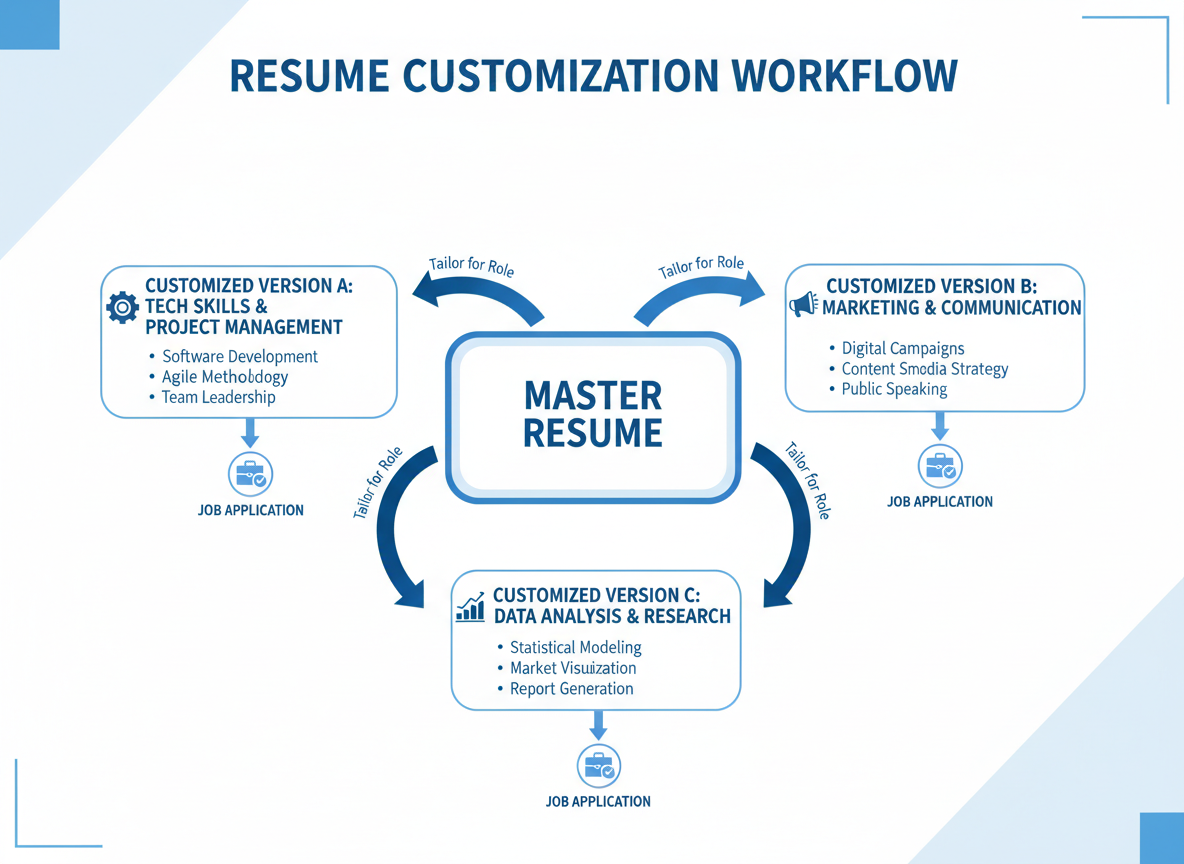
Tailoring for Each Application
Customize your ATS resume for each position you apply to. Analyze the specific job description and adjust keywords to match employer priorities.
Create a master resume containing all your experience and skills. For each application, modify the master to emphasize the most relevant information for that specific role.
Tracking ATS Algorithm Changes
Applicant tracking systems evolve constantly with software updates and new features. Stay informed about ATS changes through professional resources and resume optimization news.
Major ATS platforms like Greenhouse, Lever, and Workday periodically update their parsing algorithms. Understanding these changes helps you maintain resume compatibility.
ATS Evolution Trends
Modern applicant tracking systems increasingly use artificial intelligence and machine learning to evaluate candidates. These advanced systems analyze not just keyword matches but also context, relevance, and candidate quality. While maintaining ATS-friendly formatting remains important, focus equally on substantive content that demonstrates your value and achievements clearly.
ATS Guide
Choosing the Right Template for Your Situation
Different career situations benefit from specific template structures. Understanding which ATS friendly resume template suits your circumstances improves application success.
Chronological Format Templates
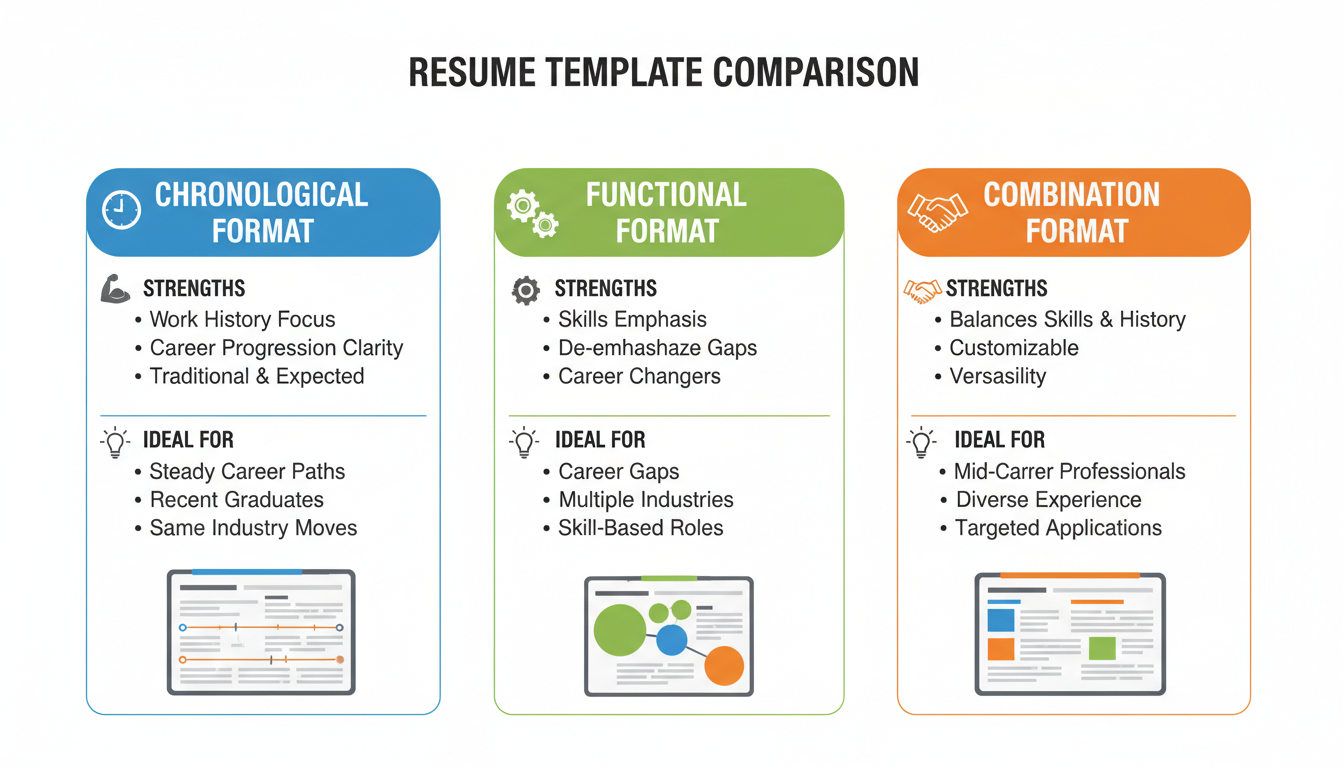
Chronological templates work best when you have steady career progression in the same field. This format emphasizes your work history timeline, making it easy for ATS software to identify your experience level.
Use chronological format when your job titles and employers strengthen your candidacy. This structure highlights career growth and relevant industry experience clearly.
Best For Chronological Format
- * Consistent career progression in same industry
- * No significant employment gaps
- * Recent experience directly relevant to target role
- * Prestigious employers or well-known companies
- * Progressive title advancement over time
Avoid Chronological If
- * Changing careers or industries
- * Multiple employment gaps present
- * Most relevant experience was years ago
- * Job hopping or frequent position changes
- * Returning to workforce after extended break
Functional and Skills-Based Templates
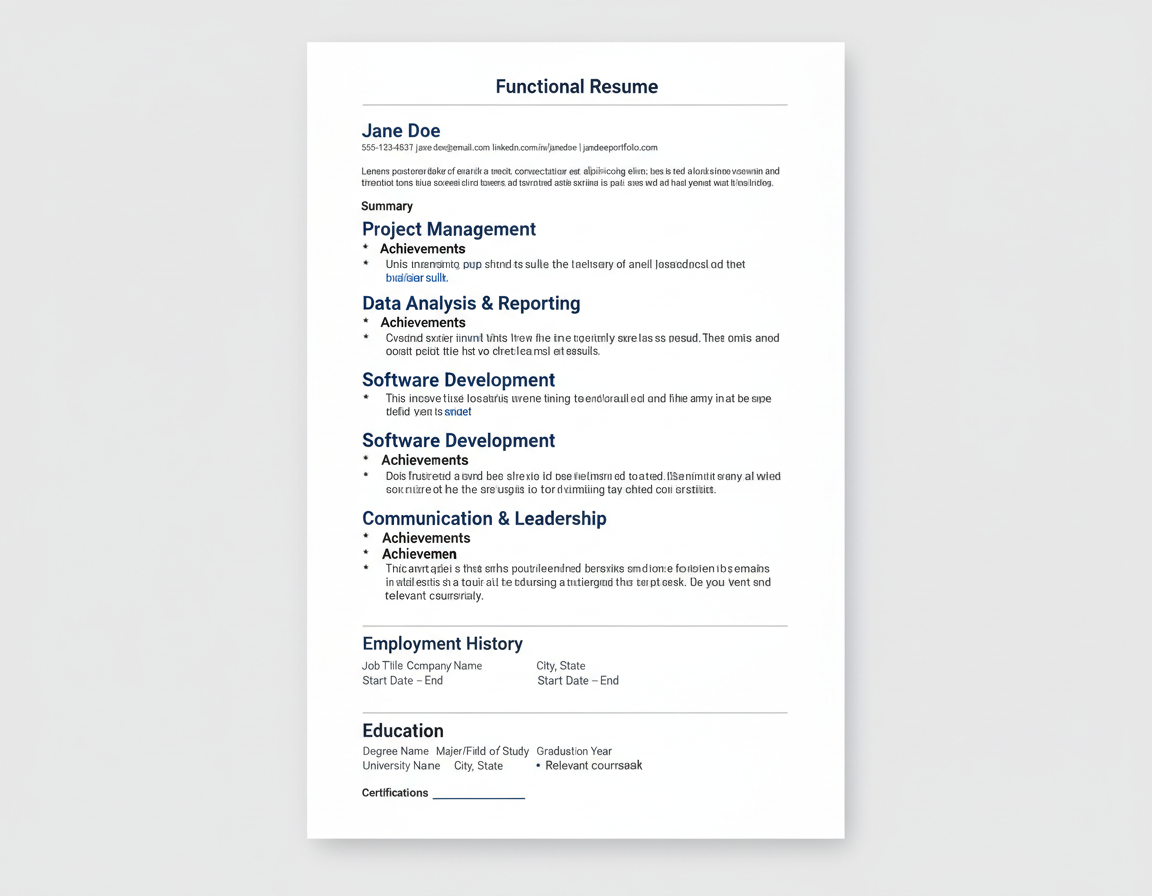
Functional templates emphasize skills and accomplishments rather than chronological work history. This format helps when you’re changing careers or have employment gaps.
However, many recruiters and some ATS systems view functional resumes with suspicion. Use this format cautiously and ensure it remains ATS-compatible.
Combination Format Templates
Combination templates merge chronological work history with prominent skills sections. This hybrid approach works well for most job seekers and maintains strong ATS compatibility.
Lead with a skills summary highlighting your key qualifications, then follow with chronological work experience. This structure satisfies both ATS algorithms and human recruiters.
| Template Type | Structure | ATS Compatibility | Best Use Case |
|---|---|---|---|
| Chronological | Work history timeline focus | Excellent | Steady career progression in field |
| Functional | Skills and achievements focus | Good with caution | Career change or employment gaps |
| Combination | Skills summary plus work history | Excellent | Most situations, versatile choice |
ATS Guide
Beyond ATS: Optimizing for Human Recruiters
While passing ATS screening is essential, your resume must also impress human recruiters. Balance ATS optimization with compelling content that motivates hiring managers to interview you.

Writing Compelling Achievement Statements
Transform basic responsibilities into achievement statements that demonstrate impact. Use the STAR method (Situation, Task, Action, Result) to structure compelling bullet points.
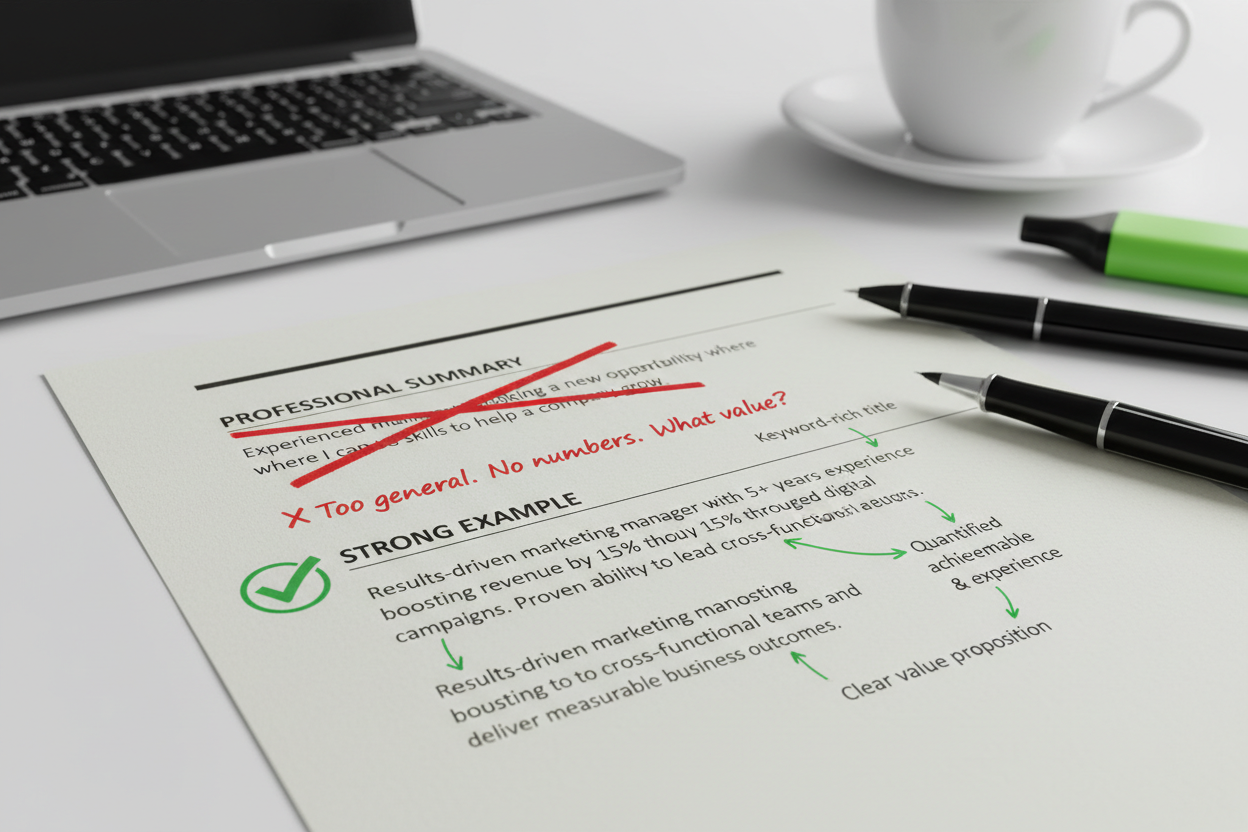
Quantify achievements whenever possible. Numbers catch recruiter attention and provide concrete evidence of your capabilities beyond keyword matches.
Weak Resume Statements
- * Responsible for managing social media accounts
- * Handled customer service inquiries
- * Worked on team projects
- * Helped improve company processes
- * Managed sales activities
Strong Achievement Statements
- * Grew social media following by 250% in 6 months through targeted content strategy
- * Resolved 95% of customer inquiries on first contact, exceeding department average by 12%
- * Led cross-functional team of 8 to deliver $2M product launch 3 weeks ahead of schedule
- * Streamlined approval process reducing turnaround time from 5 days to 24 hours
- * Exceeded annual sales quota by 145%, generating $3.2M in new revenue
Professional Summary That Hooks Readers
Your professional summary should immediately communicate your value proposition. Write 3-4 sentences highlighting your most impressive qualifications and career achievements.
Include high-value keywords naturally while telling a compelling career story. This section must work for both ATS scoring and recruiter engagement.
Strategic White Space Usage
Don’t pack your resume with tiny text to fit more information. Strategic white space improves readability for human reviewers without affecting ATS parsing.
Use adequate line spacing between sections and entries. Recruiters spend an average of 7 seconds on initial resume review, so make key information easy to spot.
The Recruiter’s Perspective
After your resume passes ATS screening, a human recruiter determines whether you get an interview. They want to quickly identify your key qualifications and see if you meet requirements. While ATS compatibility gets you in the door, compelling content formatted for quick human scanning gets you the interview. Balance keyword optimization with clear, scannable formatting that highlights your strongest qualifications prominently.
Create Your Perfect Resume Today
Our ATS-optimized templates are designed by recruitment experts to pass applicant tracking systems while impressing hiring managers. Start building your professional resume in minutes.
ATS Guide
ATS Resume Success Stories
Real job seekers have transformed their application results using ATS friendly resume templates. These success stories demonstrate the impact of proper resume optimization.


Sarah’s Tech Career Breakthrough
“I applied to 50 positions with my creative resume and got zero responses. After switching to an ATS-friendly template, I received interview requests from 8 companies within two weeks.”
— Sarah Martinez, Software Engineer
Sarah’s story illustrates how even highly qualified candidates can be filtered out by ATS systems when using incompatible resume formats. Her technical skills were impressive, but her previous resume’s complex design prevented recruiters from seeing her qualifications.

James Lands Dream Sales Role
“The sales resume template helped me showcase my quota achievements in a way that ATS systems could actually read. I went from being ignored to having multiple final-round interviews.”
— James Thompson, Sales Manager
James struggled to get callbacks despite consistently exceeding sales quotas. His original resume buried his achievements in complex formatting. The ATS-optimized template highlighted his metrics effectively, resulting in immediate improvement in his application success rate.

Maria’s Career Change Success
“Transitioning from teaching to project management seemed impossible until I used a combination template that highlighted my transferable skills. I got interviews at three major tech companies.”
— Maria Rodriguez, Project Manager
Career changers face unique challenges with ATS systems. Maria’s education background initially seemed irrelevant to project management roles. The right template structure helped her frame teaching experience as project management, leading to successful industry transition.
Common Success Factors
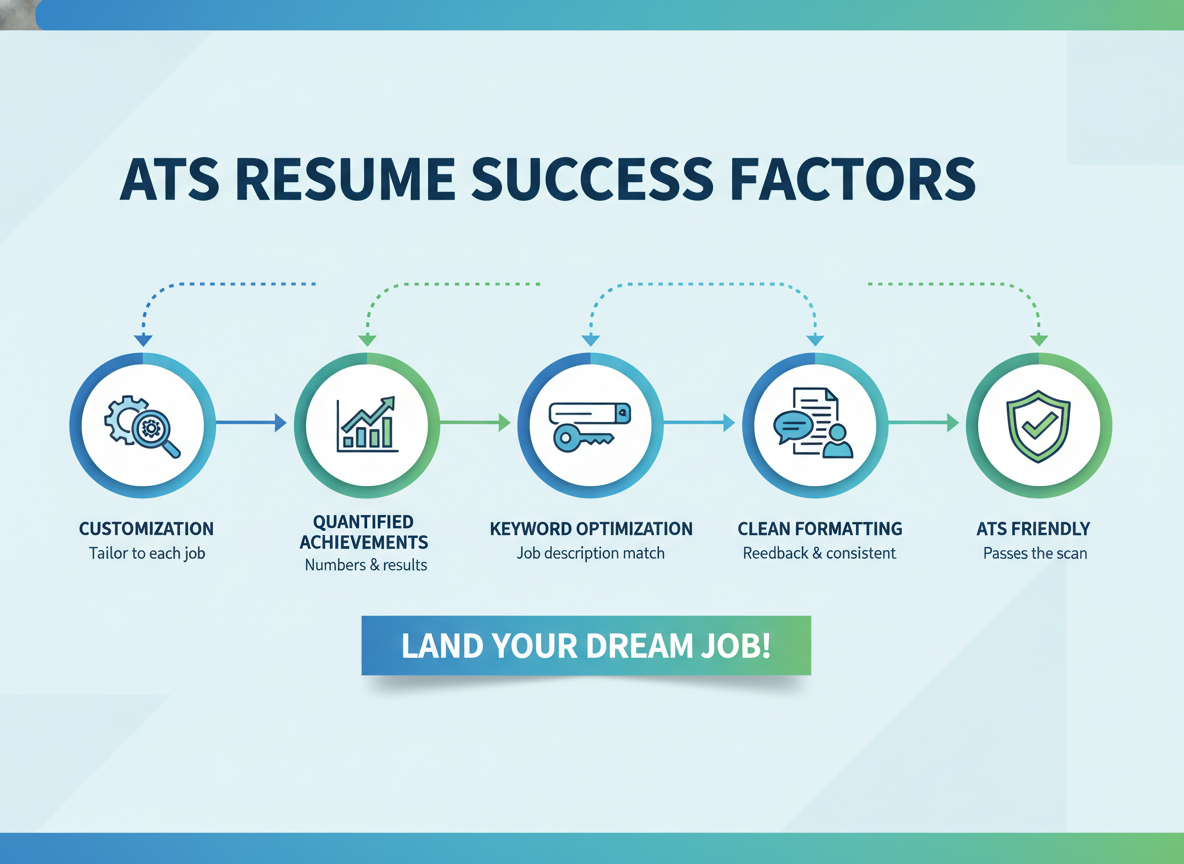
Successful candidates share several key practices when using ATS friendly resume templates. They customize content for each application, quantify achievements, and test their resumes before submission.
Most importantly, they understand that ATS optimization is just the first step. Their resumes pass software screening while remaining compelling to human readers.
ATS Guide
Start Your Job Search with the Right Template
Choosing an ATS friendly resume template significantly improves your job search results. The right template ensures your qualifications reach hiring managers instead of being filtered out by software.
Remember that ATS compatibility doesn’t mean sacrificing professionalism or impact. Modern ATS resume templates maintain clean, attractive formatting while following the technical requirements that applicant tracking systems demand.

Your Next Steps
Begin by selecting a template that matches your industry and career level. Customize the template with your unique experience and achievements, ensuring you incorporate relevant keywords from your target job descriptions.
Test your resume for ATS compatibility before submitting applications. Make any necessary adjustments to improve parsing and keyword matching.
- * Choose an ATS-friendly template appropriate for your industry and experience level
- * Gather your work history, education, and achievement data before starting
- * Analyze target job descriptions to identify critical keywords and requirements
- * Customize your template content to match each specific job application
- * Quantify achievements with specific numbers, percentages, and dollar amounts
- * Test your resume using plain text conversion and ATS checker tools
- * Review for both ATS compatibility and human readability
- * Save your resume in recommended format (.docx unless PDF requested)
- * Update your resume quarterly to keep information current and relevant
The StylingCV Advantage
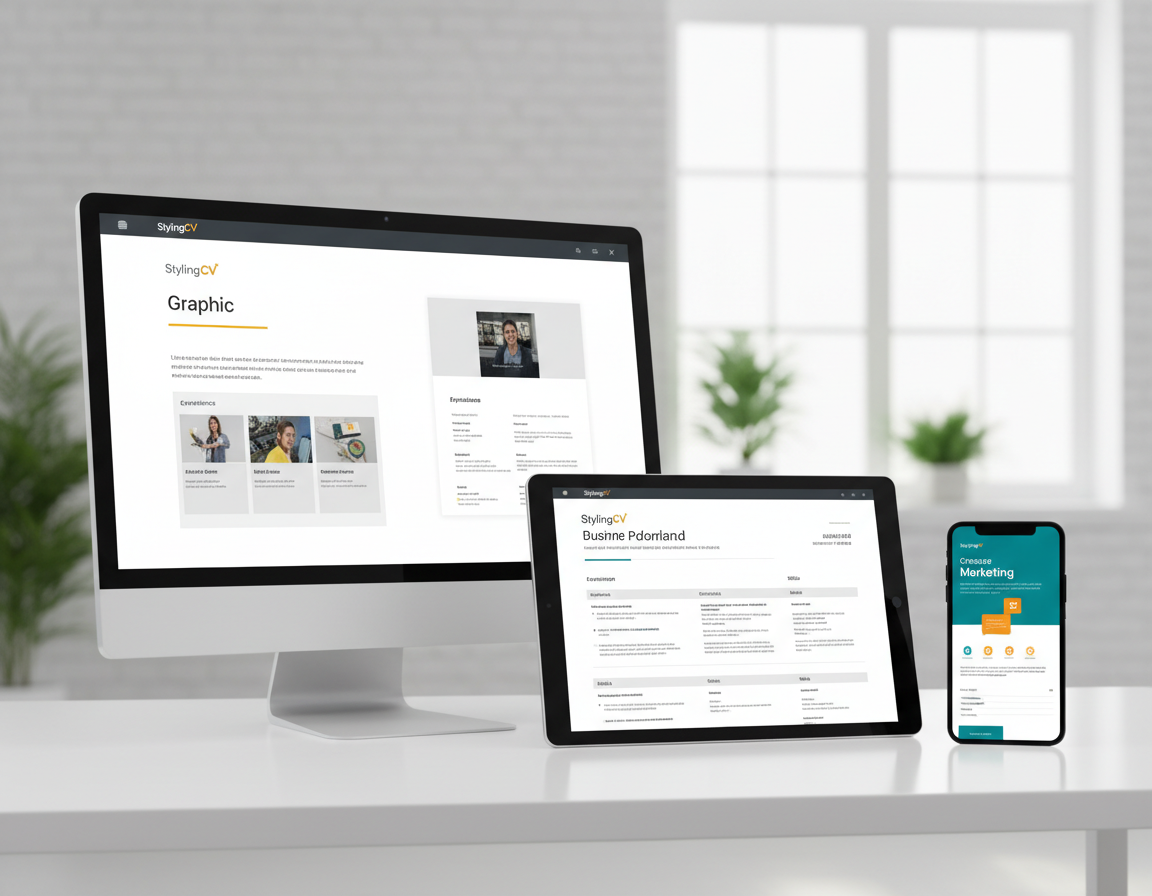
StylingCV offers professionally designed ATS friendly resume templates created by recruitment experts. Our templates balance software compatibility with visual appeal, helping you stand out in both digital and human review processes.
Every template has been tested with major applicant tracking systems including Greenhouse, Lever, Workday, and Taleo. We update our templates regularly to maintain compatibility with evolving ATS technology.
4.8
Customer Satisfaction Rating
Template Quality
4.9/5
ATS Compatibility
4.8/5
Ease of Use
4.7/5
Customer Support
4.8/5
Don’t let outdated resume formatting prevent you from landing your dream job. The applicant tracking systems that companies use aren’t going away, so adapting your application strategy is essential.
Invest in your career success with a proven ATS friendly resume template. Join thousands of job seekers who have improved their interview rates and secured better positions using professionally optimized templates.
Transform Your Job Search Today
Get instant access to our complete library of ATS-optimized resume templates. Choose from 50+ professional designs proven to pass applicant tracking systems and impress hiring managers. Start building your winning resume in minutes.